Hubspot
Summarize this blog post with:
Most HubSpot landing pages look reasonable on the surface but quietly leak conversions every single day. The headline is generic. The form asks for too much too soon. The CTA button says “Submit.” The mobile layout breaks in ways that only become visible after a campaign has already run for two weeks.
HubSpot landing page development is not complicated in theory. You have a powerful CMS, built-in forms, native A/B testing, smart content, and direct CRM integration. The platform gives you every tool you need. What it does not give you is the judgment to know which decisions matter, which defaults to override, and which best practices actually move conversion rates versus which ones just sound credible in blog posts.
This guide covers what that judgment looks like in practice. The decisions that separate landing pages converting at 2% from landing pages converting at 12% are rarely dramatic. They are mostly a collection of specific, fixable choices made at the development and optimization stage.
Quick Answer: What Does Good HubSpot Landing Page Development Actually Require?
What separates high-converting HubSpot landing pages from ones that consistently underperform?
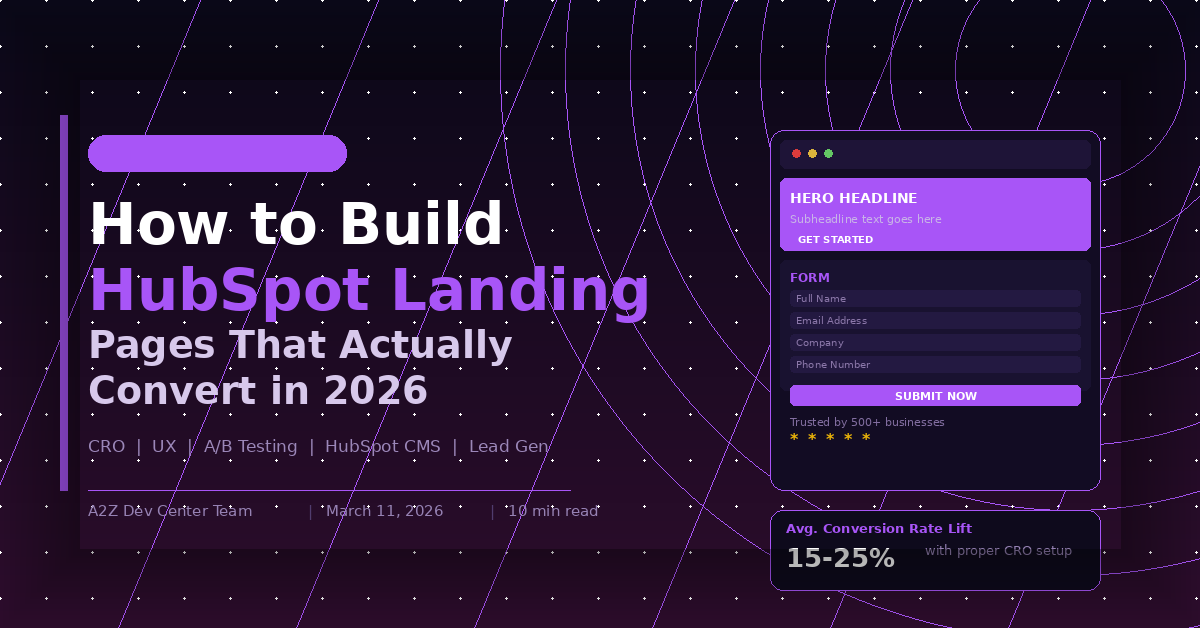
High-converting HubSpot landing page development requires four things working together: a headline that matches the exact promise made in the ad or email that sent the visitor there, a form optimized for the stage of the buyer journey the page targets, a page structure that guides attention toward a single conversion action with no competing navigation links, and a technical foundation that loads fast on mobile. Businesses that get these four elements right see 15 to 25% conversion rate improvements over pages built without this discipline, typically within the first 12 to 18 months of an optimized program.
Key Takeaways
- Message match between the ad or email source and the landing page headline is the single highest-impact conversion lever available in HubSpot landing page development
- HubSpot’s smart content and progressive profiling features reduce form friction significantly but are underused by most teams building landing pages on the platform
- Removing navigation from landing pages consistently improves conversion rates, yet it remains one of the most commonly skipped steps in standard HubSpot page builds
- Mobile performance is not a nice-to-have. Google Core Web Vitals scores directly affect paid campaign quality scores and organic ranking for landing page URLs
- Thank you pages are a missed conversion opportunity in most HubSpot implementations. They should continue the journey, not end it
- A/B testing in HubSpot is only valuable when tests are run on pages with sufficient traffic and when only one variable is changed per test
Why Most HubSpot Landing Pages Underperform
The problem is rarely the platform. HubSpot gives development teams everything they need to build high-converting landing pages. The problems are almost always in how those tools are used.
The most common failure mode is treating HubSpot landing page development as a design task rather than a conversion task. Teams focus on visual polish, brand alignment, and section completeness while overlooking the specific mechanics that drive conversion decisions. A page can look excellent and convert at 2% while a plainer page built around conversion principles converts at 11%.
The second common failure is building pages in isolation from the traffic source. A landing page is not a standalone asset. It is the second half of a conversion pathway that starts in an ad, email, or organic search result. When the promise made in that first touchpoint does not precisely match the headline and offer on the landing page, visitors experience a moment of cognitive friction that drives bounce rates up before they have read a single word of your copy.
The third failure is form design that ignores buyer journey stage. Asking a cold traffic visitor for their phone number, company size, annual revenue, and job title before they have seen any evidence of value is a conversion killer. HubSpot’s progressive profiling exists specifically to solve this problem, yet a significant portion of landing pages built on the platform use static forms that ask for everything upfront.
Our HubSpot development company overview covers the broader context of how these page-level decisions connect to HubSpot portal architecture and CRM integration.
Understanding where these problems originate often comes down to portal setup quality. Teams that rush HubSpot implementation without a clear architecture end up with disconnected forms, broken workflows, and smart content that pulls incomplete data. The HubSpot development guide for scaling your tech stack covers how a well-structured portal makes every downstream asset including landing pages perform significantly better. And if you are still deciding whether HubSpot is the right platform for your business at all, the HubSpot vs WordPress comparison breaks down exactly where each platform wins so you are not building landing pages on the wrong foundation.
The Message Match Principle in HubSpot Landing Page Development
Message match is the alignment between what a visitor was promised before they clicked and what the landing page delivers when they arrive. It sounds obvious. In practice it is violated constantly.
A Google Ads campaign targeting “HubSpot CRM implementation services” that sends traffic to a landing page headlined “We Help Businesses Grow With Technology” has a message match problem. The visitor searched for something specific. The page delivered something generic. That gap, measured in a fraction of a second of cognitive processing, produces a bounce.
Fixing message match in HubSpot is straightforward. For paid campaigns, create a unique landing page for each ad group, not each campaign. The headline should contain the same primary phrase the ad targeted. The value proposition in the first paragraph should directly address the specific problem that phrase represents. For email campaigns, the landing page headline should echo the subject line or primary CTA text from the email.
HubSpot’s URL parameters and smart content features allow dynamic headline insertion for paid traffic, meaning the same base page can serve personalized headlines for different traffic sources without building separate pages for every variation. This is one of the more underused capabilities in standard HubSpot landing page development, and it has a measurable impact on conversion rates for teams running multi-segment campaigns.
HubSpot Form Optimization: The Decisions That Matter
Forms are the conversion mechanism on a landing page. Everything else supports them. Yet form optimization receives less attention than any other page element in most HubSpot landing page development projects.
The fundamental form decision is field count relative to offer value. A visitor landing on a page offering a blog post or checklist should face a one or two field form at most. A visitor landing on a page offering a detailed consultation or a high-value assessment tool can reasonably be asked for four to six fields because the perceived value justifies the friction. The mistake is applying a standard field set regardless of offer value.
Progressive profiling in HubSpot allows returning contacts to see different fields than new contacts. A visitor who already has their name and email in your CRM should not be asked for those again. HubSpot can show them questions that fill gaps in their contact record instead, gathering richer data over multiple interactions rather than front-loading a form with every field you would eventually want.
Form placement decisions also matter more than most teams acknowledge. Forms above the fold convert better on high-intent pages where the visitor arrives ready to act. Forms below supporting content convert better on pages where the visitor arrives with a question and needs context before committing. Testing both configurations on your specific traffic is more reliable than defaulting to a single convention.
The hire HubSpot developer page covers situations where form logic and workflow connections require custom HubSpot development beyond what standard form builder configurations support.
Page Structure and Navigation Decisions
Removing navigation from landing pages is one of the oldest and most consistently validated conversion rate optimization practices in existence. The logic is simple. Navigation links give visitors an exit option that requires no decision. Every exit option reduces the probability that the visitor takes the one action the page was built for.
HubSpot landing page templates can be configured to hide the global navigation header. This is a development decision that should be made for every landing page by default, with exceptions made deliberately rather than navigation inclusion being the default.
Page structure below the headline should follow attention flow rather than content completeness. Most visitors do not read landing pages linearly. They scan. The scan pattern on most landing pages moves from headline to hero image or visual element, then to bullet points or bold subheadings, then to the form or CTA, then, if they are still undecided, back up to the body copy for supporting detail.
Building page structure around this scan pattern means putting the most critical information, the headline, the core value statement, the primary evidence point, and the form, in positions a scanner will hit before they have made a decision to leave. Body copy that only a committed reader reaches should support and reinforce the conversion decision rather than introduce new competing information.
Mobile Performance and Core Web Vitals
Mobile performance in HubSpot landing page development has two separate dimensions that are often conflated. Responsive layout is the basic requirement. Mobile conversion optimization is a different, higher standard.
Responsive layout means the page does not break on a small screen. Mobile conversion optimization means the page is actually easy to use and fast to load on a mobile device, with CTA buttons sized for thumbs, forms that work with mobile keyboards, and page load times that do not exhaust the patience of a mobile user on a variable connection.
Google Core Web Vitals scores for landing page URLs affect both paid campaign quality scores and organic ranking. A landing page with poor Largest Contentful Paint scores will see higher cost per click in paid campaigns because Google’s quality score algorithm penalizes slow pages, and it will rank lower in organic results for landing page keywords than a technically equivalent page with strong Core Web Vitals.
HubSpot’s built-in CDN and image optimization tools handle a significant portion of page speed without custom development. The areas where custom HubSpot landing page development adds the most performance value are custom module optimization, third-party script management, and font loading strategy, each of which can add seconds to perceived load time if handled carelessly.
The HubSpot landing page development service page covers the technical development standards we apply to Core Web Vitals optimization in production HubSpot landing page builds.
Smart Content and Personalization in HubSpot Landing Pages
HubSpot’s smart content feature allows different page content to display for different visitor segments without building separate pages. Segments can be defined by lifecycle stage, list membership, device type, referring source, or country.
In practice the highest-value smart content application in landing page development is lifecycle stage personalization. A visitor who is already a known contact in your CRM arriving on a landing page should not see the same content as a first-time anonymous visitor. The known contact may have already downloaded the offer being promoted. Showing them a different offer relevant to their stage, or personalizing the headline to acknowledge the existing relationship, converts at significantly higher rates than treating every visitor identically.
Getting smart content to work properly depends heavily on how your HubSpot portal is structured. If contact lifecycle stages are not being set correctly, or if list membership criteria are vague, smart content rules will either fail to trigger or serve the wrong variant to the wrong visitor. The dedicated HubSpot developer vs agency comparison is worth reading before you decide who manages portal configuration, because smart content and personalization quality is directly tied to the expertise of whoever set up your contact properties and segmentation logic. For teams that have been using HubSpot for a while without a formal audit, how to boost your business with HubSpot CRM covers the CRM hygiene foundations that make smart content reliable rather than inconsistent.
Referral source personalization is the second highest-value application. A visitor arriving from a LinkedIn ad targeted at HR professionals should see different headline and copy emphasis than a visitor arriving from a Google search for a technical query, even if both are landing on the same base page. Smart content makes this possible without doubling your page inventory. The custom HubSpot CMS development guide covers how custom module development extends smart content capabilities beyond what the standard HubSpot editor supports for teams with more complex personalization requirements.
The Thank You Page Most Teams Waste
The thank you page is the moment immediately after conversion when visitor intent is at its absolute highest. They just took an action. They are engaged. They are paying attention.
Most HubSpot thank you pages say some variation of “Thanks! We’ll be in touch.” That is a missed conversion opportunity.
A well-built thank you page does several things. It confirms the action taken and sets expectations for next steps. It offers a logical next piece of value, a related resource, a video, an invitation to a webinar, or a case study relevant to the offer just downloaded. It includes a secondary CTA for visitors ready to take a bigger step, such as booking a consultation. And it uses HubSpot’s token personalization to address the visitor by name, reinforcing that the form submission was received and registered.
Thank you pages built this way consistently produce measurable secondary conversion rates from an audience that cost nothing additional to reach. They are the highest-ROI improvement available on most HubSpot landing page programs that have not addressed them yet.
A/B Testing HubSpot Landing Pages Correctly
HubSpot’s native A/B testing is straightforward to set up and genuinely useful when used correctly. The two most common misuses are testing on pages with insufficient traffic and testing multiple variables simultaneously.
Statistical significance requires enough conversions in both test variants to rule out random variation as the explanation for any difference observed. Pages receiving fewer than 1,000 visits per month are generally not suitable for A/B testing without extending test duration to the point where external factors, seasonal changes, campaign changes, competitive shifts, make the results unreliable.
Testing multiple variables simultaneously, changing the headline, the CTA color, the form field count, and the hero image in the same test, makes it impossible to know which change produced the result. Single variable testing is slower but produces actionable knowledge rather than ambiguous data.
The most impactful elements to test in HubSpot landing page development, ranked by typical effect size, are headline copy, primary CTA text, form field count, and hero image or visual. Structural layout changes and color scheme tests tend to produce smaller conversion differences than copy and friction changes.
The seo content writing services piece covers how landing page copy optimization connects to the same keyword intent principles that drive organic content performance.
For external context on conversion rate benchmarks, WordStream’s landing page conversion research consistently shows that pages in the top 25% of performers across industries convert at 5.31% or above, while median conversion rates sit around 2.35%, which frames the improvement potential available through systematic optimization.
HubSpot Landing Page Development: Essential Checklist
| Element | Standard Build | Optimized Build |
|---|---|---|
| Navigation | Included by default | Removed |
| Headline | Brand-led generic statement | Message-matched to traffic source |
| Form fields | Standard 5-7 field template | Adjusted to offer value, progressive profiling enabled |
| Mobile layout | Responsive | Conversion-optimized with thumb-friendly CTAs |
| Thank you page | Generic confirmation | Next step CTA and related content offer |
| Smart content | Not configured | Lifecycle stage and referral source variants active |
| A/B testing | Not running | Single variable tests on sufficient traffic |
| Core Web Vitals | Not monitored | LCP, CLS, FID targets met |
Frequently Asked Questions
Schedule a call
Talk to a subject-matter expert
Web development, SEO, or digital marketing — tell us about your project and we'll get back within one business day. No obligation.
- Free scope & strategy session
- A senior specialist, not a sales rep
- Your details stay confidential