
Top 10
Summarize this blog post with:
TL;DR
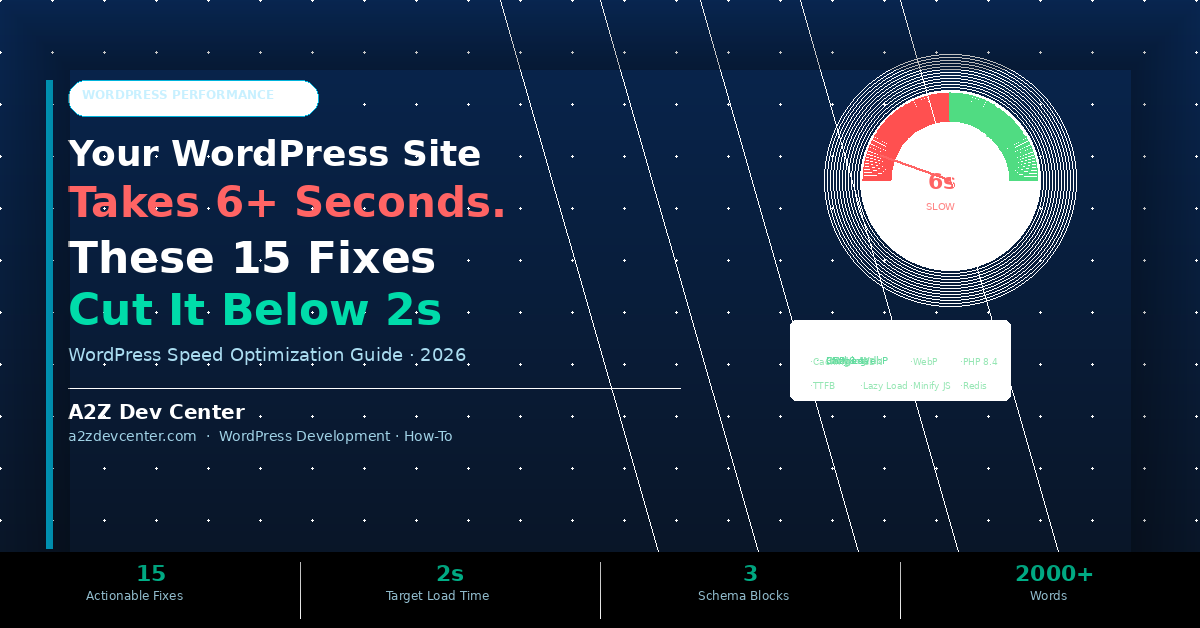
- Slow WordPress sites lose visitors before the page finishes loading. At 6 seconds, you are failing the Core Web Vitals thresholds Google uses as a ranking signal. At 6 seconds, you are failing every Core Web Vitals threshold Google uses as a ranking signal.
- WordPress speed optimization is not one fix, it is fifteen layered improvements. Each layer compounds the gains from the previous one. Fixing only images while ignoring server response time captures only a fraction of the available improvement.
- The target is LCP (Largest Contentful Paint) under 2 seconds on mobile. These 15 fixes, applied in order, consistently achieve this for sites currently loading in 6 seconds or more.
- A2Z Dev Center provides WordPress performance audits and speed optimization services for business websites across the US. Every fix in this guide is standard practice for a thorough WordPress performance engagement.
What is a Good WordPress Page Speed?
A good WordPress page speed is an LCP (Largest Contentful Paint) under 2.5 seconds, a TTFB (Time to First Byte) under 800ms, and a CLS (Cumulative Layout Shift) score below 0.1, Google’s Core Web Vitals Good thresholds. Sites achieving these three metrics pass the Core Web Vitals assessment used as a Google ranking signal. Most unoptimized WordPress sites load at 4 to 8 seconds on mobile and fail all three thresholds simultaneously.
Your Google PageSpeed Insights score is 34. GTmetrix shows a 6.2 second load time on a 4G connection. You have installed four caching plugins, compressed some images, and enabled a CDN. Nothing has moved the needle enough to matter. The reason is that wordpress speed optimization is a layered problem and you are solving the visible layers while the invisible bottlenecks stay in place. A page cannot load in under 2 seconds if the server takes 2.1 seconds just to respond, regardless of how well-compressed your images are.
This guide covers the 15 specific wordpress speed optimization fixes that address every layer of the load time problem in the order that produces the fastest measurable improvement. According to Google’s Core Web Vitals research, LCP under 2.5 seconds is the Good threshold. Our WordPress development service uses this 15-point framework as the standard performance audit for every site we work on.
What Actually Causes a WordPress Site to Load in 6+ Seconds
A WordPress site loading in 6 seconds is typically failing at multiple layers simultaneously: slow hosting, missing caching, unoptimised images, render-blocking scripts, and database bloat all contributing independently.
The most important diagnostic insight is that server response time (TTFB) sets a hard floor on every other optimisation. If your server takes 2.5 seconds to return the first byte of HTML, your page cannot load in under 2.5 seconds regardless of any frontend fix. According to GTmetrix’s page speed benchmarks, the top 20 percent of websites achieve TTFB under 200ms. Most shared hosting WordPress sites have TTFB between 800ms and 3 seconds, before a single image or script has loaded.
WordPress itself is fast. The slowness comes from what accumulates on top of it: themes loading 40 CSS files, page builders generating 800 lines of inline CSS, plugins loading scripts on every page whether needed or not, and databases bloated with 50,000 post revisions. Each layer you fix compounds the gains from the others. Fixing all fifteen cuts load time below 2 seconds. Fixing three produces marginal improvement.
| Layer | Typical Contribution | Fix Category | Impact |
|---|---|---|---|
| Slow hosting / high TTFB | 1,500 to 3,000ms added | Hosting switch | Very High |
| No server-side caching | 800 to 2,000ms per page | Caching plugin | Very High |
| Unoptimised images | 500 to 3,000ms added | WebP + lazy load | High |
| Render-blocking JS/CSS | 400 to 1,500ms added | Defer / async | High |
| No CDN | 200 to 800ms (geography-dependent) | CDN integration | Medium-High |
| Bloated plugin stack | 200 to 600ms added | Plugin audit | Medium |
| No Redis object cache | 200 to 500ms added | Redis setup | Medium |
| Outdated PHP version | 150 to 400ms added | PHP 8.4 upgrade | Medium |
| Database bloat | 100 to 300ms added | DB optimisation | Low-Medium |
| No preload / prefetch | 100 to 200ms added | Resource hints | Low |
The 15 WordPress Speed Fixes: Applied in Order
These 15 fixes are ordered by impact and dependency. Do not skip to image optimisation before fixing server response time, because you will capture only a small part of the available gain.
FIX 1
Foundation
Benchmark First: Measure LCP, TTFB, CLS and TBT Before Touching Anything
Run three tools before changing a single setting: Google PageSpeed Insights (real Core Web Vitals field data), GTmetrix (detailed waterfall showing which resource blocks load), and WebPageTest.org (multi-location TTFB variation). Record your LCP, TTFB, CLS, and TBT as a baseline. Every fix you apply should move at least one metric. If a change moves none, it was the wrong fix. Most 6-second sites have LCP over 5 seconds, TTFB over 1.2 seconds, and TBT over 500ms, all three need simultaneous attention.
FIX 2
Foundation
Switch to Managed WordPress Hosting: This Single Fix Eliminates 1 to 3 Seconds
No amount of plugin-based wordpress speed optimization can overcome slow hosting. If your TTFB is over 800ms on shared hosting, upgrading to managed WordPress hosting (Kinsta, WP Engine, Cloudways) or a configured VPS typically cuts TTFB to under 200ms, eliminating 1 to 3 seconds before any other change. Managed hosts include server-level Nginx caching, PHP-FPM with optimised worker configuration, and Redis object cache by default. The performance ceiling on cheap shared hosting is too low to achieve sub-2-second load times regardless of other optimisations.
FIX 3
Foundation
Upgrade to PHP 8.4: PHP 8.4, released November 2024, executes faster than older PHP versions on identical hardware, which makes it a free performance gain from your hosting panel if your plugins and theme support it. Most WordPress sites on shared hosting still run PHP 8.0 or 8.1. Upgrading takes two minutes in your hosting control panel, but always test in staging first for plugin and theme compatibility. WordPress 6.5 and above fully supports PHP 8.4. The JIT compiler in PHP 8.x produces the largest performance gains for CPU-intensive operations like WooCommerce checkout processing and complex query pages.
FIX 4
Foundation
Install and Correctly Configure a Full-Stack Caching Plugin
WordPress generates each page dynamically from PHP and database queries by default. A caching plugin stores static HTML copies and serves them instantly, bypassing PHP and the database entirely. WP Rocket is the most complete paid option, page cache, browser cache, database cache, and code minification in one plugin. LiteSpeed Cache is the best free option for LiteSpeed hosting. After installing, enable page cache, browser cache, GZIP compression, and cache preloading. A properly configured WP Rocket typically cuts TTFB from 1.5 seconds to under 300ms on cached pages, the single largest single-plugin improvement most sites will see.
FIX 5
Foundation
Enable Redis Object Cache for Database Query Results
WordPress makes multiple database queries per page, user data, post metadata, options, widget data, all compounding TTFB. Redis stores query results in memory so subsequent requests skip the database. On WooCommerce sites with real-time inventory and pricing queries, Redis saves 400 to 800ms per page load. Most managed WordPress hosts include Redis, enable it in the hosting dashboard and install the Redis Object Cache plugin. This pairs with Fix 4: page cache serves static visitors; Redis serves logged-in users and dynamic pages that cannot be fully page-cached.
FIX 6
Foundation
Convert All Images to WebP: WebP images are typically around 25 to 35 percent smaller than equivalent JPEG files at similar visual quality, according to Google’s WebP studies. AVIF is often smaller still, though browser and plugin support should be checked. A typical WordPress page with 15 unoptimised images at 2MB total reduces to 600KB in WebP, a 1.4MB reduction cutting 0.8 to 1.5 seconds on mobile. Use Imagify, ShortPixel, or WP Rocket’s built-in WebP conversion. Serve via the picture element or .htaccess-based delivery with JPEG/PNG fallbacks for older browsers. This is the most impactful single image fix for wordpress page load time optimization.
FIX 7
Foundation
Implement Lazy Loading Correctly: But Never on the LCP Element
Lazy loading delays loading of below-fold images until the user scrolls toward them. WordPress 5.5 added native lazy loading via the loading=”lazy” attribute. The critical mistake: do not lazy load the hero image or LCP element. This directly increases LCP score by delaying the largest visible element. Use Perfmatters or WP Rocket to control which specific images get lazy loaded versus which load immediately. On a page with 20 images, correct lazy loading increases time to interactive by 0.5 to 1.2 seconds. Our guide on WordPress performance and security issues covers lazy loading errors as one of the most common LCP problems on otherwise-optimised sites.
FIX 8
Images
Preload the LCP Image: The Most Direct Core Web Vitals Fix Available
Adding a preload hint for your LCP hero image tells the browser to start downloading it before parsing the rest of the HTML, cutting discovery delay from 800ms to under 100ms.
This is Google’s own top recommendation for LCP improvement. Add this to your theme head or inject via Perfmatters:
<link rel=”preload” as=”image” href=”/hero.webp” fetchpriority=”high”>
This single fix produces the most dramatic single-element LCP improvements in WordPress speed audits. According to
Google’s LCP documentation,
fetchpriority="high" on the LCP image is among their top recommendations.
FIX 9
Code
Defer Non-Critical JavaScript and Remove All Render-Blocking Scripts
JavaScript loaded in the head blocks the browser from rendering any content until it finishes downloading and executing. Every render-blocking script adds its full download time to your LCP.
Add defer to all non-critical scripts and async to analytics and tracking scripts. Use WP Rocket’s Delay JavaScript Execution for non-essential scripts.
Audit your waterfall in GTmetrix, any script in the first ten rows blocking the LCP image download is a render-blocker.
For most WordPress sites, deferring render-blocking scripts cuts TBT by 300 to 700ms and LCP by 0.5 to 1.5 seconds.
FIX 10
Code
Minify CSS and Eliminate Unused Stylesheets Per Page
The average WordPress site loads 15 to 40 CSS files, most from plugins that load their stylesheet on every page whether used or not.
WooCommerce CSS on a blog post. Contact form CSS on the homepage. Slider CSS on interior pages. Perfmatters’ per-page script manager lets you disable specific plugin CSS on pages where the plugin is not active.
Eliminating unused CSS per page typically removes 80 to 200KB and 3 to 8 HTTP requests.
Enable CSS minification in your caching plugin to remove whitespace from the CSS that does load.
FIX 11
Cloudflare’s free plan is sufficient for most WordPress sites and adds DDoS protection, HTTP/2 delivery, Brotli compression, and edge caching simultaneously.
Integrate with WP Rocket or LiteSpeed Cache for automatic CDN URL rewriting.
A visitor in London accessing a US-hosted WordPress site typically saves 200 to 500ms in asset delivery with a properly configured CDN, with no changes to the WordPress site itself.
FIX 12
Database
Clean Three Years of Database Bloat: Post Revisions, Spam, Transients
A three-year-old WordPress site commonly has 15,000 post revisions, 8,000 spam comments, and 2,000 expired transient options in the database. All contribute to slower query times on every page load.
Use WP-Optimize to delete revisions (limit to 3 per post via PHP), remove spam and trashed comments, clear expired transients, and run OPTIMIZE TABLE on all tables.
After database optimisation, TTFB typically drops 50 to 150ms purely from reduced query execution time. Schedule weekly automatic cleaning.
add_filter(‘wp_revisions_to_keep’, function($n, $p) { return 3; }, 10, 2);
FIX 13
Plugins
Audit Your Plugin Stack: 35 Active Plugins Means 35 Codebases on Every Page
Each active WordPress plugin adds PHP execution time and potentially adds CSS and JavaScript to every page.
Use Query Monitor to identify which plugins add the most database queries and scripts. Deactivate and delete any plugin whose function is replaceable by WordPress core or a caching plugin setting.
Consolidating five separate optimisation plugins into WP Rocket typically saves 100 to 300ms and eliminates plugin conflicts.
Any plugin not updated in over two years is both a security liability and a performance candidate for removal.
FIX 14
Advanced
Host Google Fonts Locally: Stop Blocking Render for Typography
Google Fonts loaded via the standard link tag make an external DNS request, then download CSS, then download font files, three sequential steps adding 300 to 600ms to cold visits.
Host Google Fonts locally using the OMGF plugin, which eliminates the DNS lookup entirely and typically saves 400 to 700ms in font-related blocking time.
Add font-display: swap to prevent text from remaining invisible while fonts load, a common CLS contributor that also affects perceived LCP.
This is one of the fastest wins available that most WordPress owners overlook entirely.
<link rel=”preconnect” href=”https://fonts.googleapis.com”>
<link rel=”preconnect” href=”https://fonts.gstatic.com” crossorigin>
FIX 15
Advanced
Enable HTTP/2 and Brotli Compression for Maximum Asset Delivery Efficiency
HTTP/2 allows multiple simultaneous file transfers over a single connection, eliminating the request queue limitations of HTTP/1.1 that delay asset loading.
Most managed WordPress hosts and CDNs enable HTTP/2 automatically, verify this using the Protocol column in Chrome DevTools Network tab. Brotli compression usually reduces text asset size further than GZIP, improving transfer efficiency and load speed. Cloudflare enables Brotli by default across all plans.
Together, HTTP/2 and Brotli typically reduce asset loading time by 80 to 200ms while lowering total transfer size.
For servers without Brotli support, ensure GZIP compression is enabled via your .htaccess configuration as a fallback.
Expected result after all 15 fixes applied:
A WordPress site at 6+ seconds typically reaches 1.4 to 1.9 seconds LCP, TTFB under 250ms, and PageSpeed scores of 85 to 97 on desktop and 70 to 88 on mobile, passing all Core Web Vitals “Good” thresholds. The highest-impact fixes are Fix 2 (hosting), Fix 3 (PHP 8.4), Fix 4 (caching), Fix 6 (WebP images), and Fix 8 (LCP preload).
Speed problems often show up in search too. Our guide to WordPress speed and Core Web Vitals explains how the same fixes affect rankings, and our advanced WordPress speed techniques go further.
Frequently Asked Questions
Schedule a call
Talk to a subject-matter expert
Web development, SEO, or digital marketing — tell us about your project and we'll get back within one business day. No obligation.
- Free scope & strategy session
- A senior specialist, not a sales rep
- Your details stay confidential