
What to Expect from a Professional iOS App Development Company
 By Akash Patel
·
📅 Published: March 3, 2026
·
🔄 Updated: March 8, 2026
·
⏱ 15 min read
By Akash Patel
·
📅 Published: March 3, 2026
·
🔄 Updated: March 8, 2026
·
⏱ 15 min read
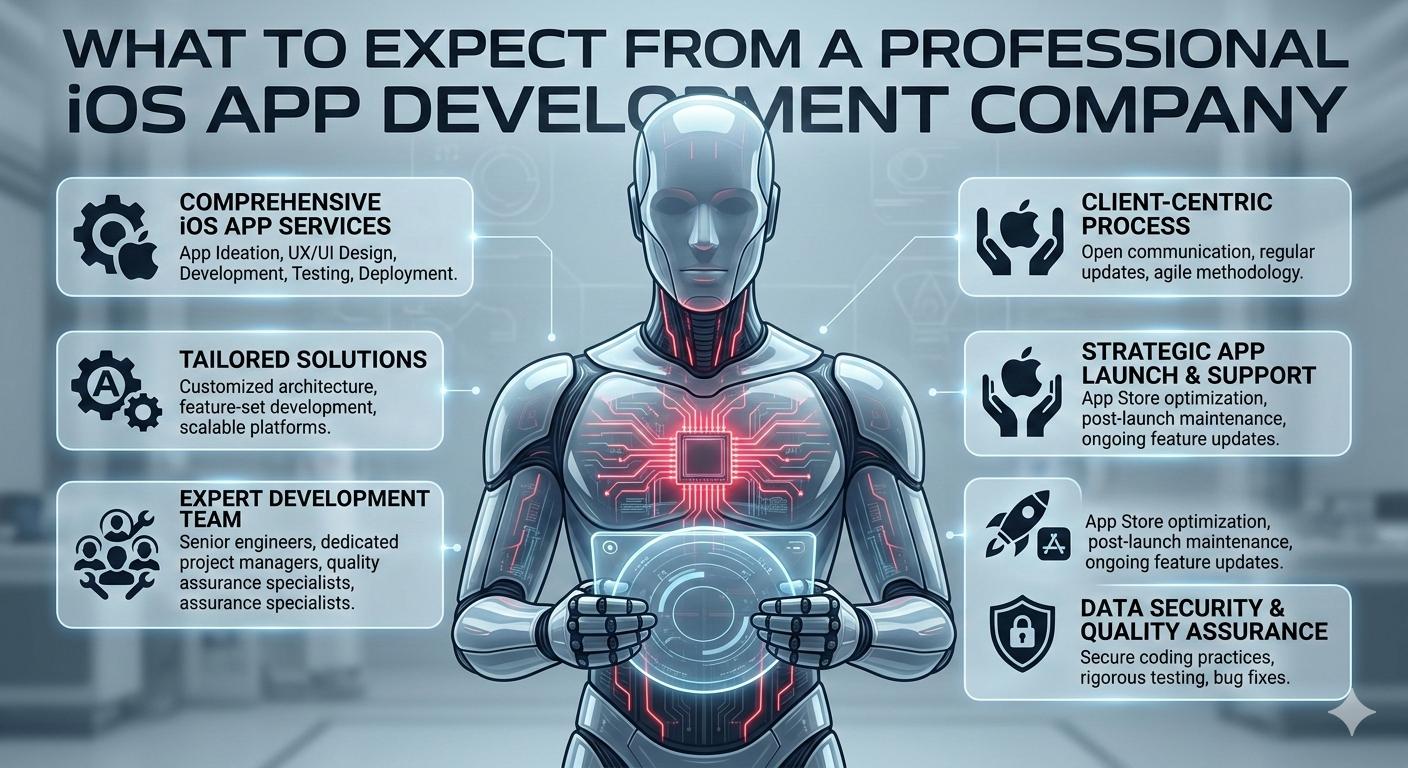
Every iOS app development company promises the same things: cutting-edge technology, beautiful design, on-time delivery, and transformative business results. Yet 64% of iOS app projects exceed their original budgets, 58% miss their planned launch dates, and approximately 40% deliver features that don’t match initial expectations or actual user needs.
The disconnect isn’t always malicious—it often stems from misaligned expectations between businesses and development partners. Companies expecting “full-service app development” discover too late that certain critical services weren’t included. Businesses anticipating weekly progress updates receive monthly status emails. Organizations planning for ongoing support find themselves abandoned three months post-launch when bugs emerge.
The stakes are substantial. iOS users represent the most valuable mobile audience globally—they spend 2.4x more per capita on apps than Android users, exhibit higher engagement rates, and demonstrate stronger brand loyalty. Companies targeting North America, Western Europe, Japan, or affluent demographics cannot afford iOS presence that’s merely adequate. Premium users expect premium experiences, and substandard apps damage brand perception in ways that extend far beyond the mobile channel.
But here’s the challenge: distinguishing professional ios app development service providers from those delivering mediocre results requires understanding what comprehensive iOS development actually entails. Marketing materials rarely reveal the difference between agencies that view apps as transactions versus partners who approach them as strategic products requiring ongoing cultivation.
This guide explains what businesses should actually expect from professional iOS development companies—the processes, deliverables, communication standards, and support structures that separate exceptional partners from those who overpromise and underdeliver.
What Do Professional iOS Development Companies Deliver?
Professional iOS app development companies provide end-to-end services including strategic discovery and validation, comprehensive UX/UI design, native Swift development, rigorous quality assurance across devices, App Store optimization and submission, and post-launch support—typically delivering projects in 4-8 months with total investment ranging from $60,000 to $400,000 depending on complexity and achieving 250-450% ROI within 18-30 months for well-executed projects.
The deliverables extend far beyond code. Expert firms begin with discovery workshops validating whether the app concept solves actual user problems versus perceived ones. They conduct competitive analysis identifying differentiation opportunities and market positioning. Professional mobile app development includes comprehensive user research ensuring features align with target audience needs and behaviors.
Design encompasses information architecture, wireframing, visual design adhering to Apple’s Human Interface Guidelines, interactive prototyping, and usability testing with real users. Development involves native Swift programming, backend infrastructure, API integrations, security implementation, and performance optimization. Quality assurance includes functional testing, device compatibility verification across iPhones and iPads, performance benchmarking, and security audits.
Post-launch services cover App Store submission and optimization, initial bug fixes, usage analytics review, and typically 30-90 days of included support before transitioning to ongoing maintenance agreements.
The Discovery Process: Strategy Before Code
Why Discovery Separates Professional Firms from Order-Takers
The most critical differentiator between professional ios app development company partners and mediocre providers manifests in the first 2-4 weeks before any code is written. Amateur firms rush to development, treating requirements documents as gospel and building exactly what’s specified—regardless of whether it solves actual problems. Professional companies invest in rigorous discovery that challenges assumptions, validates user needs, and often fundamentally reshapes initial concepts.
Discovery workshops should include:
Stakeholder alignment sessions ensuring executives, product owners, marketing teams, and technical leads agree on objectives, success metrics, target users, competitive positioning, and constraints. Misalignment here cascades into expensive problems later when different departments have conflicting expectations about what the app should accomplish.
User research and validation through interviews with target users, surveys measuring feature desirability, analysis of competitor app reviews identifying what users love and hate, and behavioral data from existing digital properties revealing actual user patterns versus assumed ones. Professional firms refuse to build features users don’t want—even when clients insist.
Technical feasibility assessment examining whether planned features are achievable within budget and timeline, identifying technical risks requiring early prototyping, evaluating third-party API capabilities and limitations, and assessing whether iOS platform constraints affect core functionality. Better to discover limitations during discovery than mid-development.
Competitive positioning analysis reviewing successful apps in the category, identifying white space opportunities competitors haven’t addressed, analyzing app store positioning and monetization strategies, and determining how to differentiate in crowded markets. Understanding how to build successful mobile apps requires studying what already works.Business model validation stress-testing monetization assumptions, calculating unit economics and customer lifetime value projections, identifying key performance indicators measuring success, and establishing realistic growth projections rather than optimistic fantasies.
What Discovery Should Produce
Professional discovery produces tangible deliverables, not just meeting notes:
- Product requirements document detailing features, user stories, technical specifications, and acceptance criteria
- Technical architecture plan showing database design, API structure, third-party integrations, and infrastructure approach
- Project roadmap with phased milestones, sprint planning, and realistic timeline accounting for dependencies and risks
- Risk assessment identifying technical, market, and execution risks with mitigation strategies
- Budget breakdown explaining cost allocation across design, development, testing, and deployment phases
Companies skipping discovery or treating it as checkbox exercise predictably encounter expensive mid-project pivots when fundamental assumptions prove wrong.
What Does the Design Phase Actually Include?
Beyond Making Things Look Pretty
Design isn’t aesthetic decoration applied to functional apps—it’s the systematic process of making complex functionality intuitive and ensuring users accomplish goals efficiently. Professional ios app development service providers invest 18-25% of total budget in design because user experience directly determines adoption rates, engagement metrics, and ultimately ROI.
Information architecture and user flows organize features, navigation patterns, and content hierarchies ensuring users find what they need without cognitive overload. Poor IA frustrates users regardless of visual appeal. Designers map user journeys from app discovery through onboarding, core feature usage, and ongoing engagement—identifying friction points before they’re built into code.
Wireframing and prototyping create low-fidelity layouts establishing component placement, interaction patterns, and screen-to-screen flow without visual design distractions. This enables rapid iteration testing multiple approaches cheaply. Interactive prototypes in Figma or similar tools allow usability testing before development, discovering UX problems when fixes cost hours instead of weeks.
Visual design adhering to Human Interface Guidelines implements Apple’s design principles while maintaining brand identity. iOS users expect specific interaction patterns—swipe gestures, tab bars, navigation hierarchies—that feel native to the platform. Deviating from platform conventions confuses users and signals amateur development. Professional designers balance brand expression with platform familiarity.
Design system creation establishes reusable components, typography scales, color palettes, spacing systems, and interaction patterns ensuring consistency across hundreds of screens. This accelerates development and maintenance while preventing visual inconsistency that undermines professional perception.
Accessibility compliance ensures apps work for users with visual, motor, or cognitive impairments through proper contrast ratios, dynamic type support, VoiceOver compatibility, and reduced motion options. Apple increasingly enforces accessibility standards, and inclusive design expands addressable markets.
Design Deliverables Professional Firms Provide
Expect comprehensive design documentation:
- High-fidelity mockups for every unique screen state
- Interactive prototypes demonstrating user flows
- Design system documentation with component library
- Icon and asset packages in required resolutions
- Animation specifications for transitions and micro-interactions
- Accessibility audit ensuring WCAG 2.1 compliance
Firms delivering Photoshop mockups without interaction specifications or component systems create expensive ambiguity during development.
How Professional iOS Development Teams Work
Team Structure and Roles
Professional ios app development firm teams comprise specialized roles collaborating through structured processes, not individual developers juggling everything:
iOS developers specializing in Swift (modern standard) or Objective-C implement UI components, business logic, local data storage, API integration, and iOS-specific optimizations. Senior developers architect application structure ensuring scalability and maintainability. Junior developers handle component implementation under supervision.
Backend engineers build server infrastructure, database design, API endpoints, authentication systems, business logic processing, and scaling architecture. Even “simple” iOS apps typically require backend for user accounts, data synchronization, push notifications, and analytics.
UI/UX designers create information architecture, visual design, interaction specifications, and conduct usability testing. Ongoing involvement throughout development ensures design intent translates to implementation.
Quality assurance engineers write test plans, execute manual testing across device matrix, develop automated testing suites, conduct performance benchmarking, and manage bug tracking. Professional QA catches issues before users encounter them.
Project managers coordinate activities, maintain schedules, facilitate communication, manage risks, and ensure stakeholders stay informed. They shield development teams from distractions while keeping clients engaged appropriately.
DevOps engineers configure server infrastructure, implement CI/CD pipelines, manage deployment processes, set up monitoring and alerting, and ensure production stability. Backend infrastructure requires specialized expertise beyond application development.
Development Methodology: Agile in Practice
Most professional firms use Agile methodology with 2-week sprints delivering incremental functionality. Understanding current mobile app development trends helps contextualize modern development practices.
Sprint planning selects prioritized features for upcoming sprint, estimates effort, identifies dependencies, and commits to deliverables. Teams pull work based on capacity rather than having work pushed arbitrarily.
Daily standups synchronize team progress through brief 15-minute meetings where members share accomplishments, plans, and blockers. This prevents silos and surfaces issues quickly.
Sprint demos every two weeks showcase working software to stakeholders, gathering feedback and adjusting priorities. Regular visibility prevents surprises at launch and enables course correction.
Sprint retrospectives reflect on process improvements, celebrating successes and addressing challenges. Continuous process refinement improves velocity and quality over time.Continuous integration/deployment automatically builds, tests, and deploys code changes ensuring new features don’t break existing functionality. Professional teams ship stable builds daily, not scramble before deadlines.
Communication Standards You Should Expect
Professional firms establish clear communication protocols:
- Weekly status updates via email or project management tools summarizing progress, upcoming milestones, risks, and decisions needed
- Bi-weekly sprint demos showing working software and gathering feedback
- Dedicated Slack channel or equivalent for real-time questions and coordination
- Monthly strategic reviews discussing metrics, user feedback, and roadmap adjustments
- Defined escalation paths for urgent issues requiring immediate attention
- Response time commitments typically 24 hours for non-urgent inquiries, 4 hours for blockers
Firms providing only monthly check-ins or slow email responses signal inadequate project management maturity.
Quality Assurance Standards for iOS Apps
Testing That Prevents Embarrassing Launches
The difference between apps that delight users versus frustrating them often comes down to QA rigor. Professional ios app development company teams implement multi-layered testing strategies catching issues before public release.
Functional testing verifies every feature works as designed across representative device matrix. iOS fragmentation is less extreme than Android, but apps must still perform flawlessly on iPhone SE (smallest screen), iPhone 15 Pro Max (largest), iPad Mini, and iPad Pro spanning iOS 16 and 17 (minimum supported versions for 90%+ market coverage).
Performance testing measures app launch time (target <2 seconds), screen transition smoothness (sustained 60fps), API response times, memory consumption, battery usage, and data efficiency. Apps draining batteries or consuming excessive data get uninstalled immediately regardless of functionality.
Security testing includes penetration testing identifying vulnerabilities, code analysis for common security flaws, API security validation, data encryption verification, and authentication bypass attempts. Apps handling financial transactions, health data, or personal information require thorough security audits.
Usability testing observes real users attempting tasks, noting friction points, confusions, and improvement opportunities. Five users typically uncover 85% of usability issues. Professional firms conduct multiple usability test rounds—after wireframing, after visual design, and after development.
Accessibility testing ensures VoiceOver screen reader compatibility, sufficient color contrast for visual impairments, dynamic type support for text scaling, and reduced motion options for users sensitive to animations. Apple increasingly enforces accessibility standards during App Store review.
Regression testing validates that new features don’t break existing functionality. Automated test suites run on every code change, catching regressions immediately rather than discovering them weeks later.
Device Testing Infrastructure
Professional firms maintain physical device labs or use cloud testing services (TestFlight, Firebase Test Lab) covering:
- Multiple iPhone models from recent generations (iPhone 12 through 15)
- Various screen sizes (iPhone SE through Pro Max)
- iPad coverage (standard, Air, Pro in different sizes)
- Multiple iOS versions (current release plus 1-2 prior versions)
- Different network conditions (5G, 4G, WiFi, offline scenarios)
Companies testing only on simulators or latest flagship devices miss device-specific bugs affecting real users.
Post-Launch Support: What’s Actually Included
The First 90 Days Are Critical
Professional iOS development companies recognize that launch is the beginning, not the end. The first 90 days determine whether apps gain traction or fade into obscurity. Expect comprehensive post-launch support including:
App Store optimization and submission preparing compelling app listings with optimized titles, descriptions, keywords, screenshots, and preview videos maximizing conversion from impression to install. Professional firms understand App Store algorithm nuances and ranking factors beyond just development expertise.
Launch monitoring tracking crash rates, performance metrics, user feedback, and usage patterns during initial rollout. Staged deployment starting with small user percentage before full release catches critical issues affecting specific device-OS combinations before widespread impact.
Bug fix sprints addressing issues discovered by real users under real conditions. Even thoroughly tested apps encounter edge cases. Professional contracts typically include 30-90 days of bug fixes without additional charges for issues present at launch.
Analytics review and optimization examining user behavior data, feature engagement metrics, conversion funnels, and retention cohorts. Data-driven insights inform feature prioritization and UX improvements. Understanding strategies for growing mobile app audience requires analyzing what resonates with early users.
Usage-based feature refinement adjusting functionality based on how users actually interact versus how designers assumed they would. Features ignored get deprioritized; popular features get enhanced.
iOS update compatibility ensuring apps continue functioning when Apple releases new iOS versions. Major iOS updates occur annually with quarterly point releases requiring periodic compatibility verification.
Ongoing Maintenance Agreements
After initial included support, professional firms offer maintenance agreements covering:
- iOS version compatibility updates
- Bug fixes and security patches
- Performance optimization as usage scales
- Third-party API updates and integration maintenance
- App Store guideline compliance as policies evolve
- Minor feature enhancements and UX improvements
Maintenance typically costs 15-25% of original development annually. Organizations attempting to handle maintenance in-house without iOS expertise encounter expensive problems when compatibility issues emerge.
Red Flags That Signal Unprofessional iOS Developers
Warning Signs During Evaluation
Certain behaviors during selection process predict troubled partnerships:
Unrealistically low bids when competitor quotes cluster around $120,000-$180,000 but one firm bids $45,000 indicate either fundamental misunderstanding of requirements, intent to cut corners, or plans to inflate costs through “scope creep” charges later.
Pressure to commit without discovery means the firm lacks process discipline or intends to lock clients in before discovering project complexity. Professional developers insist on discovery before finalizing estimates.
Generic proposals lacking customization reveal minimal research into the business, users, or competitive context. Cookie-cutter proposals signal transactional relationships rather than strategic partnerships.
Portfolio featuring only template apps or lack of apps in relevant industry raises questions about whether the firm understands domain-specific requirements and user expectations.
Offshore teams with no local presence introduce communication challenges, timezone conflicts, and potential IP protection issues. While quality offshore developers exist, first-time app developers benefit from easier coordination of nearshore or onshore teams.
Fixed-price contracts for ambiguous scope create incentives to deliver minimum viable interpretation rather than optimal solutions. Professional firms prefer time-and-materials with budget caps for complex apps where requirements evolve.
No post-launch support mentioned signals firms viewing projects as transactions rather than ongoing products. Apps require maintenance regardless of initial quality.
Red Flags During Development
Warning signs emerging mid-project indicate problems:
Infrequent communication despite agreed protocols suggests team juggling too many projects or lacking project management discipline.
Missed milestones without proactive communication reveals inadequate risk management and stakeholder respect.
Resistance to feedback or suggestions indicates ego-driven development rather than user-focused problem-solving.
Deliverables lacking professional polish like incomplete documentation, inconsistent code quality, or bugs in sprint demos suggest rushed work or insufficient QA.
Frequent team member changes disrupt continuity and create knowledge silos. Stable teams deliver better results.
Addressing red flags immediately prevents small problems from becoming project-threatening crises.
How to Evaluate iOS Development Company Expertise
Beyond Impressive Portfolios
Polished websites and beautiful portfolio pieces don’t guarantee successful partnerships. Rigorous evaluation requires examining:
iOS-specific technical competency through questions like: “How do you handle iOS background modes and app lifecycle management?” “Explain your approach to Core Data versus Realm for local storage.” “Walk me through optimizing for different iPhone screen sizes and safe areas.” Vague answers or inability to discuss iOS-specific challenges reveals shallow platform expertise.
Swift and modern iOS development practices are essential. Companies still primarily using Objective-C lag behind current best practices. Ask: “What percentage of your iOS projects use Swift versus Objective-C?” “How do you leverage SwiftUI versus UIKit?” “Describe your approach to Combine framework for reactive programming.”
Human Interface Guidelines adherence separates native-feeling apps from generic cross-platform ports. Request examples showing custom components that feel unmistakably iOS while maintaining brand identity.
App Store success metrics provide objective quality indicators. Ask: “What percentage of submitted apps get approved on first review?” “What’s your average app store rating across portfolio?” “Can you share download and engagement metrics for similar apps?”
Problem-solving approach matters more than technical buzzwords. Present a realistic scenario: “We need to integrate with our proprietary inventory system that has limited API documentation. Walk me through your approach.” Strong developers ask clarifying questions, discuss risks, propose alternatives, and frame solutions in business impact terms.
Client references offer unfiltered perspectives. Ask references: “How did they handle unexpected technical challenges?” “Were timelines realistic?” “What was code quality—did it require refactoring?” “Would you hire them again?”
Portfolio Analysis: What Actually Matters
When reviewing portfolios, examine:
Complexity level of featured apps. Simple content apps don’t demonstrate capability to build complex e-commerce, fintech, or enterprise platforms. Evaluate whether portfolio includes apps with similar complexity to your requirements.
Industry relevance matters for domain-specific requirements. Healthcare apps require HIPAA compliance understanding, fintech needs security expertise, e-commerce demands payment integration experience. Comparing iOS versus cross-platform development approaches helps contextualize portfolio choices.
Recent work reflects current capabilities better than projects from 2020. iOS development evolves rapidly-five-year-old portfolio pieces don’t demonstrate modern Swift mastery or latest iOS feature integration.
Measurable outcomes beyond aesthetics. Did featured apps achieve business objectives? What were download numbers, engagement metrics, revenue impact, or operational efficiency gains? Pretty screenshots without results prove little.Code samples if provided, should demonstrate clean architecture, comprehensive commenting, modern Swift conventions, and maintainable structure. Request GitHub links for open-source contributions or sample projects.
2026 iOS Development Capabilities You Should Expect
Modern Features Standard in Professional iOS Apps
Technology evolves rapidly, and professional ios app development solution providers stay current with platform capabilities that users increasingly expect as baseline:
AI and machine learning integration using Core ML for on-device intelligence enables real-time features without server dependency—image recognition, natural language processing, predictive suggestions, and personalized recommendations. Apps leveraging AI see 28-42% higher engagement versus static experiences.
Advanced privacy features implementing App Privacy Reports, privacy nutrition labels, and privacy-preserving analytics align with Apple’s privacy-first positioning. Apps respecting user privacy build trust and avoid App Store rejection for guideline violations.
SwiftUI adoption accelerates UI development by 30-40% versus traditional UIKit while enabling code sharing between iOS, iPadOS, macOS, and watchOS. Modern firms leverage SwiftUI for new projects while maintaining UIKit expertise for legacy code.
WidgetKit implementation extends app presence to home screen and lock screen through widgets providing glanceable information and quick actions. Apps with well-designed widgets see 45-60% higher daily active user rates.
App Clips deliver lightweight app experiences (<10MB) without full installation for specific tasks—ordering food, renting bikes, paying parking. This reduces friction for first-time users and enables context-specific functionality.
SharePlay integration enables synchronized experiences over FaceTime—watching content together, shared playlists, collaborative activities. Particularly relevant for entertainment, social, fitness, and educational apps.
Focus mode support respecting user attention preferences and Do Not Disturb settings demonstrates respect for user wellbeing and improves notification effectiveness when users are receptive.
Spatial audio and haptics create immersive experiences for media, gaming, and productivity apps supporting AirPods Pro and iPhone haptic engines.
Emerging Capabilities Forward-Thinking Firms Offer
Cutting-edge ios app development company teams experiment with newer capabilities:
Vision Pro integration preparing for Apple’s spatial computing platform launches new app categories and interaction paradigms. Early Vision Pro expertise provides competitive advantage as the platform matures.
Advanced accessibility features beyond compliance minimum including audio descriptions, haptic feedback for visual cues, and voice control navigation create inclusive experiences expanding addressable markets.
On-device machine learning training adapting AI models based on individual user behavior while maintaining privacy through federated learning approaches.Augmented reality using ARKit for retail visualization, furniture placement, navigation overlays, and training simulations. AR adoption grew 127% year-over-year as capabilities matured. Implementing essential features for e-commerce apps increasingly includes AR try-on capabilities.
Frequently Asked Questions
Ready to Get Started?
Your Details will be Kept confidential. Required fields are marked *


