

Hubspot
Summarize this blog post with:
Quick Answer: What Is HubSpot Integration?
HubSpot CRM integration is the process of connecting HubSpot to your other business tools, including your ecommerce platform, billing software, marketing automation, customer support system, and communication tools, so that data flows automatically between them without manual export, import, or re-entry. The result is a single source of truth for every customer interaction across your entire revenue operation.
What This Guide Covers
- 40% of CFOs don’t trust their own organization’s financial data because the systems generating that data don’t connect to each other, according to BlackLine’s CFO survey. This is not a CFO problem. It is a disconnected tech stack problem.
- The average company uses 1,061 applications, but only 29% of them are integrated with each other, according to Bizdata360’s 2026 enterprise technology research. That means 71% of your tools are generating data that never reaches the people who need it.
- This guide gives you 5 specific signs your CRM integration is broken and leaking revenue, a dollar cost calculator based on named research, a HubSpot-specific integration architecture guide, and a 5-phase implementation timeline so you know exactly what a HubSpot integration project involves.
- A2Z Dev Center’s digital marketing services include HubSpot integration strategy, implementation, and ongoing data ops support for SMBs and mid-market businesses. This guide reflects the audit framework we apply before touching any integration build.
Your sales team closes a deal in HubSpot. Finance does not see it until someone emails them a spreadsheet. Your email marketing platform is sending follow-up sequences to leads your sales team marked as closed-won three weeks ago. Customer support is handling a complaint from someone who, according to the CRM, is a prospect, not an existing client. And your monthly reporting takes two days of manual reconciliation across four different dashboards that all show slightly different numbers.
None of this looks like a crisis. No system is down. No data is lost. It all just sits in separate containers, untouched, unusable, and costing you more than you realize. HubSpot integration does not just connect your tools. It turns a collection of individual platforms into a single operating system for your revenue team. Here is how to know whether you need it, how much your disconnected tech stack is costing you right now, and exactly what a proper CRM integration HubSpot project looks like.
What Are the 5 Signs Your Tech Stack Is Leaking Revenue Right Now?
These five signs are operational symptoms, not technical ones. You do not need to be able to read code or understand APIs to identify them. If any three apply to your business, your disconnected tech stack is costing you measurable revenue today.
1
Your sales team exports data from HubSpot into spreadsheets to share with other teams
If your revenue data lives in a spreadsheet between systems, it is already stale by the time someone opens it. Manual exports are the most visible symptom of a disconnected tech stack: the systems exist, the data exists, but the connection does not. Every export is a delay, an error risk, and a version control problem. According to Netguru’s enterprise technology research, companies with fragmented tools spend less than 16% of their working time on core revenue activities. The rest goes to data wrangling, re-entry, and reconciliation.
2
Your marketing team cannot identify which leads actually converted to paying customers
When your CRM integration is missing, marketing and sales operate on parallel tracks that never intersect. Marketing generates leads, measures CTR, open rates, and MQL volume. Sales closes deals. But without a closed-loop HubSpot integration connecting deal outcome back to the campaign that sourced the lead, your marketing team is optimizing for metrics that may have no relationship to revenue. Building a real organic growth strategy becomes impossible when marketing cannot prove which activities produce customers versus which produce leads that go nowhere.
3
The same contact appears in 3 or more systems with different information in each
Duplicate contacts are the most expensive symptom of a disconnected tech stack. You send the wrong email to a churned customer. Your sales team calls someone who already bought. Finance invoices a contact whose address changed two months ago in CRM but never updated in your billing platform. HubSpot’s Operations Hub includes a data sync feature specifically designed to resolve this: it maintains a bidirectional sync between HubSpot and your other systems so a contact update in any tool propagates everywhere. Without this, your contact data degrades by approximately 25% per year as people change jobs, email addresses, and companies, according to HubSpot’s own data quality research.
4
Your customer support team cannot see deal history when handling a complaint
When a customer calls your support team and your CRM integration does not connect CRM to your helpdesk, your support agent is working blind. They can see the ticket. They cannot see the deal value, the products purchased, the sales conversation notes, or whether this customer is a high-value account that warrants escalated handling. The customer experiences the same frustration that Blue Oshan describes in their 2026 omnichannel stack research: “meeting someone for the third time who still doesn’t remember your name.” That experience directly drives churn. And churn is a revenue leak that no amount of new customer acquisition can sustainably offset.
5
Finance reconciles billing data manually against CRM records every month-end
This is the most expensive sign in pure dollar terms. When your CRM integration does not connect HubSpot to your billing and invoicing system, every closed deal requires a manual handoff from sales to finance. Manual handoffs introduce delays, errors, and duplicated work. Bizdata360’s 2026 research documents a CFO case study where a disconnected CRM-to-ERP workflow cost hundreds of thousands of dollars per quarter in delayed invoicing and cash flow timing alone. Companies with aligned revenue operations, where CRM, billing, and finance share a connected data layer, grow revenue 19% faster and are 15% more profitable than companies operating in silos, according to SiriusDecisions’ research cited by Six & Flow.
What Does a Disconnected Tech Stack Actually Cost? The Real Numbers
Revenue operations technology research gives us specific enough data to calculate this. Here is the cost framework, using named-source data from Bizdata360’s 2026 enterprise analysis and supporting research from Netguru and Salesforce.
Disconnected Tech Stack Cost Calculator (Annual Estimate)
Manual data re-entry
20 employees × 2 hrs/week × avg $75k salary (Bizdata360 formula)
$57,692/yr
Duplicated SaaS licenses
Overlapping features across ~300 tools ($50M+ avg enterprise spend per Netguru)
$8,000-$40,000/yr
Delayed invoicing and cash flow
Manual CRM-to-billing handoffs (Bizdata360 CFO case study)
$50,000-$250,000/yr
CRM data decay
25% of contact data degrades annually without sync (HubSpot research)
Lost pipeline value
Conservative total for 20-person team
$115,692+ per year
The trust problem at the top: Nearly 40% of CFOs do not trust their organization’s financial data, per BlackLine’s CFO survey. This is not a people problem. It is a data integrity problem caused by systems that generate conflicting records because they do not sync with each other. Every dollar of revenue your finance team cannot verify confidently is a dollar that complicates forecasting, slows investor reporting, and undermines strategic decision-making. Your performance marketing investments are impossible to attribute accurately when your CRM does not close the loop to revenue outcomes. And your SEO services investments are equally difficult to justify without a connected pipeline from organic lead to closed deal.
How Does HubSpot Fix the CRM Integration Problem?
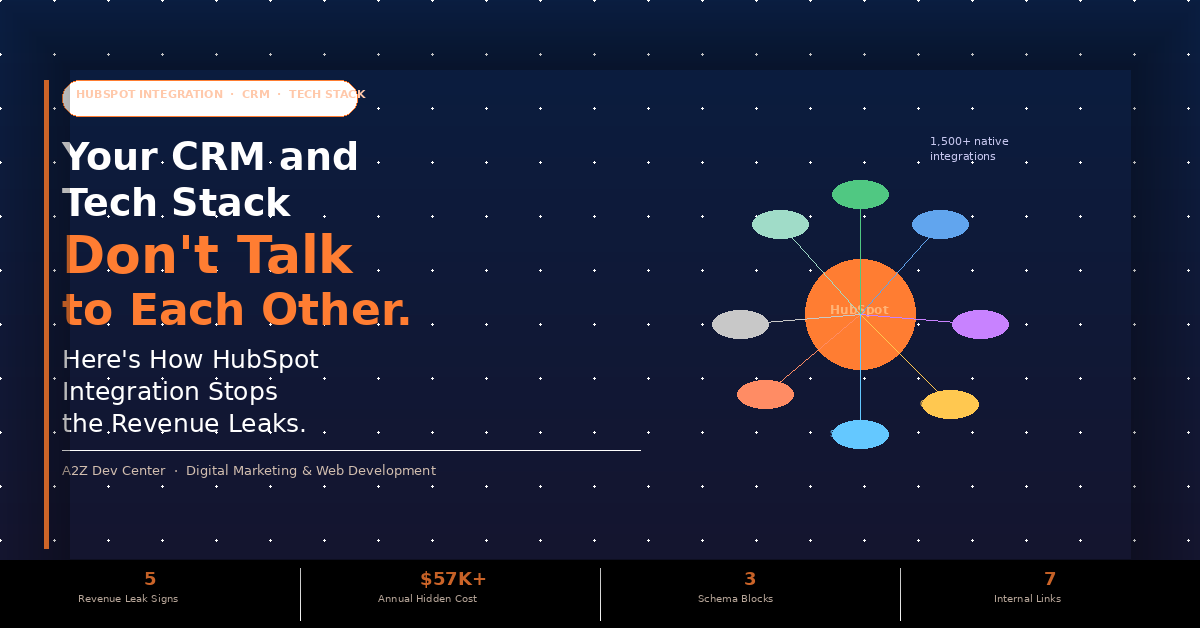
HubSpot’s answer to the disconnected tech stack is twofold: a native integration marketplace with over 1,500 pre-built connectors, and Operations Hub, a dedicated HubSpot product specifically designed for data sync, workflow automation, and programmable data management. Together they make HubSpot the integration hub at the centre of your revenue operations tech stack rather than one more disconnected tool inside it.
Here is what each key HubSpot integration does in plain English, for the tools most commonly used alongside HubSpot CRM integration in SMB and mid-market tech stacks.
| Tool | What the HubSpot Integration Does | Which Teams Benefit |
|---|---|---|
| Shopify | Syncs orders, products, customers, and abandoned carts to HubSpot. Creates contact records automatically for each buyer. Triggers post-purchase workflows for follow-up, upsell, or support. |
Marketing, Sales, Support |
| Stripe | Pulls payment events, subscription status, and MRR data into HubSpot contact and deal records. Sales can see payment history without logging into Stripe. Finance gets deal attribution automatically. | Sales, Finance |
| Slack | Sends HubSpot deal stage change notifications to Slack channels. Sales team gets a message when a deal moves to close. Finance gets notified when a deal is won without opening HubSpot. |
Sales, Finance, Leadership |
| QuickBooks | Syncs closed-won deals from HubSpot directly to QuickBooks as invoices. Eliminates manual handoff from sales to finance. Reduces billing cycle time from days to minutes. | Finance, Sales |
| Salesforce | Bidirectional sync of contacts, companies, deals, and activities between HubSpot and Salesforce. Useful when sales uses Salesforce but marketing uses HubSpot Marketing Hub. |
Sales, Marketing |
| Google Ads / Meta | Sends offline conversion events from HubSpot CRM back to ad platforms so paid campaigns are optimized for actual revenue, not just lead form submissions. | Marketing |
| Zendesk / Intercom | Shows HubSpot deal history and contact notes inside support tickets. Support agents see customer value and history without switching tabs. |
Support, Success |
| Zapier / Make | Middleware for connecting HubSpot to tools without native HubSpot integration. Triggers and actions across 5,000+ apps. Useful for niche tools in your specific tech stack. | Operations |
Our web application development team builds custom HubSpot integration layers for businesses whose revenue operations tech stack includes proprietary or industry-specific tools that require bespoke API development beyond what Zapier or native HubSpot connectors can provide. Our content marketing team uses the same HubSpot integration framework to connect content performance data from HubSpot to campaign ROI reporting, giving a complete view from blog traffic to closed deal.
Hub-and-Spoke vs Point-to-Point: The Architecture Decision That Determines Whether Your Integration Works
Most businesses that try to integrate their tech stack without a strategy end up with point-to-point integration: a direct connection between every pair of tools that need to share data. This creates an exponential complexity problem. With 5 tools, you need 10 connections. With 10 tools, you need 45 connections. With 20 tools, you need 190. Every connection is a maintenance surface, a failure point, and a cost.
Point-to-Point Architecture
190
connections needed for 20 tools
Each tool connects directly to every other tool that needs its data. Maintenance multiplies with every new tool added. When one connection breaks, the impact is unpredictable. Version updates in any tool can break downstream integrations silently.
Hub-and-Spoke (HubSpot as Center)
20
connections needed for 20 tools
Every tool connects to HubSpot only. HubSpot holds the canonical record and distributes data as needed. Adding a new tool means one new connection, not nineteen. HubSpot’s 1,500+ native integrations handle most connections without custom development.
The hub-and-spoke model positions your CRM integration not as one data pipe among many but as the central operating system for your revenue team. Sales sees marketing activity on the contact record. Finance sees deal status without a spreadsheet. Support sees purchase history inside the ticket. Leadership sees a unified dashboard instead of four conflicting reports. This is what a connected revenue operations tech stack actually produces for companies that build it. And according to SiriusDecisions, companies that build it grow revenue 19% faster and operate at 15% higher profitability than those that do not.
What Does a HubSpot Integration Project Actually Look Like?
One of the biggest reasons businesses delay HubSpot CRM integration is uncertainty about what the project involves and how long it takes. Here is the honest answer, broken into the five phases every properly executed integration engagement covers.
1
Discovery and Stack Audit (Week 1-2)
Before any integration is built, every tool in your current tech stack needs to be documented: what data it holds, what data it needs from other systems, whether a native HubSpot integration exists, and what the data quality looks like going in. Data quality problems discovered after integration is live cost 10 times more to fix than problems discovered during audit. This phase produces an integration map showing exactly which systems connect to HubSpot and what data flows in each direction. It also identifies tools that can be retired if HubSpot natively handles their function.
2
Integration Mapping and Priority Sequencing (Week 2-3)
Not all integrations deliver equal value. A HubSpot to QuickBooks integration that eliminates manual invoice creation from a three-day process to a five-minute automated one has immediate, measurable ROI. A HubSpot to Slack notification integration is useful but not urgent. This phase sequences integrations by business impact, not technical complexity. The goal is to deliver value within the first 30 days of the project, not at the 90-day mark when everything is done simultaneously. Most SMB integration projects have one or two high-priority integrations that unlock most of the value, and three to five medium-priority integrations that can be phased over 60 to 90 days.
3
Build Phase: Native, Middleware, or Custom (Week 3-6)
HubSpot’s 1,500+ native integrations cover most common business tools. For tools with native HubSpot connectors (Shopify, Stripe, QuickBooks, Salesforce, Zendesk, Slack), this phase involves configuration, field mapping, and sync frequency setup, typically two to four days per integration. For tools requiring middleware (Zapier or Make), build time is slightly longer because workflow logic must be designed and tested end-to-end. For tools requiring custom API development because no native or middleware solution exists, build time extends to one to three weeks per integration. Your web application development partner should scope custom integrations independently because they carry different risk and timeline profiles than native connections.
4
Testing and Data Validation (Week 6-8)
Integration testing is not optional and it is not the same as development testing. You need to run real data through the completed integration and verify that contact records match across systems, that field mappings produce expected results, that sync frequency is correctly timed, and that edge cases (duplicate contacts, null field values, international phone formats) are handled correctly. A HubSpot CRM integration that syncs 95% of contacts correctly is a problem, not a success. The 5% of incorrect records will cause wrong emails, missed follow-ups, and billing errors that undermine trust in the entire system. This phase often reveals data cleanup requirements that were not visible during the audit.
5
Training, Handoff, and Monitoring (Week 8-12)
A successful HubSpot integration is one that your team actually uses correctly. This phase covers team training on the connected workflows (sales on deal stage triggers, finance on automated invoice creation, marketing on closed-loop attribution), documentation of what syncs where and how often, and monitoring setup so you are alerted when a sync fails rather than discovering it three weeks later when a contact record is out of date. The total timeline for a standard SMB HubSpot integration project covering four to six tools is eight to twelve weeks. Projects with legacy systems, custom data models, or poor initial data quality extend to fourteen to twenty weeks.
Frequently Asked Questions
Your Tech Stack Should Work as One System. Let’s Build That.
A2Z Dev Center runs HubSpot integration audits that identify which of your tools need to connect, what data should flow where, and which integration approach (native, middleware, or custom API) fits each connection. We then build, test, and document the integration so your team can operate from a single source of truth.
Book a Free HubSpot Integration Audit
Schedule a call
Talk to a subject-matter expert
Web development, SEO, or digital marketing — tell us about your project and we'll get back within one business day. No obligation.
- Free scope & strategy session
- A senior specialist, not a sales rep
- Your details stay confidential