
Top 10
Summarize this blog post with:
Security Advisory · PHP · Remote Code Execution
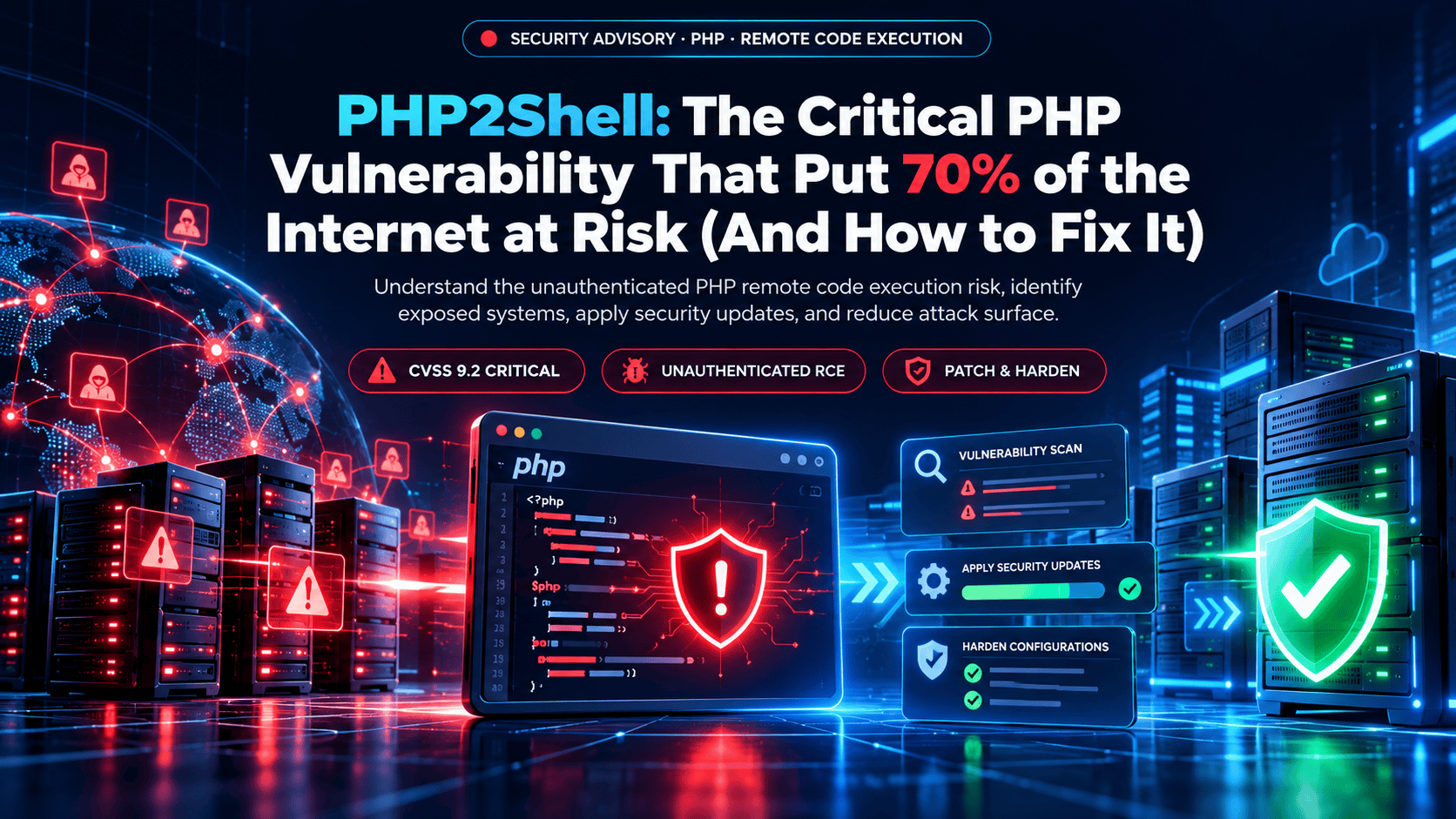
PHP2Shell: The Critical PHP Vulnerability That Put 70% of the Internet at Risk (And How to Fix It)
PHP2Shell is the nickname for two unauthenticated remote code execution flaws in PHP, CVE-2026-109618 and CVE-2026-109619. PHP shipped fixes on October 21, 2026. Here is who is affected, how to patch, and what to do if you cannot patch yet.
CVSS 9.2 CriticalCVE-2026-109618CVE-2026-109619Unauthenticated RCE
9.2
CVSS v4.0 score for both CVEs
69.3%
Of sites with a known server-side language run PHP
4
Fixed PHP branches: 8.2, 8.3, 8.4, 8.5
Oct 21
Patched releases published
TL;DR: PHP2Shell in 60 Seconds
What it is: two critical PHP flaws, CVE-2026-109618 (memory corruption when PHP runs out of memory during request setup) and CVE-2026-109619 (use-after-free from stale global state). Both are CVSS v4.0 9.2 and can allow unauthenticated remote code execution.
The fix: update to PHP 8.5.12, 8.4.27, 8.3.36 or 8.2.35, released October 21, 2026, or to a vendor package that includes the fix. Every earlier release is affected.
Older branches: PHP 8.1, 8.0 and 7.4 have no standard release, though PHP published minimal source backports and distributions and long-term support vendors ship their own patched packages. PHP 7.3 and older have no fix, so upgrade.
Not a CMS bug: it lives in the PHP engine, so WordPress, Drupal, Magento, Laravel and every other PHP application is exposed until PHP itself is patched. Plugin and theme updates do not help.
It is being exploited: watchTowr reported in-the-wild exploitation on October 21, and Amazon’s honeypot logged an attempt on October 17, four days before disclosure.
No config fix: PHP says no configuration change fully closes these bugs. Update, restart every PHP worker, and treat unpatched internet-facing servers as urgent.
What Is PHP2Shell?
PHP2Shell is the nickname for two critical remote code execution vulnerabilities in the PHP engine: CVE-2026-109618, an out-of-memory memory corruption bug, and CVE-2026-109619, a use-after-free caused by stale global state. Both are rated CVSS v4.0 9.2 and can let an unauthenticated attacker run code on a server through a network request. PHP disclosed and fixed them on October 21, 2026.
The nickname comes from a proof-of-concept tool called PHP2Shell that surfaced when embargoed details leaked online on October 20, the day before PHP’s emergency release. watchTowr’s analysis credits Calif with the discovery.
The reach is what makes this one serious. PHP is used by 69.3% of websites whose server-side language is known, according to W3Techs, so the exposure extends far beyond PHP developers to WordPress, WooCommerce, Drupal, Joomla, Magento, Laravel and a long tail of custom applications.
Why This One Is Different
These are not post-login or privilege escalation bugs. Network reachability is enough, with no account and no prior access needed. PHP says the risk is highest with Apache’s mod_php, where an attack can succeed before any application code runs, but PHP-FPM, php-cgi, FrankenPHP and LiteSpeed setups are all in scope.
How PHP2Shell Works: Two Bugs, One Result
Understanding the mechanics explains why patching is the only complete fix and why configuration tweaks fall short. Public technical detail is deliberately limited, so the table below sticks to what PHP and the researchers who analyzed the bugs have confirmed.
| Detail | CVE-2026-109618 | CVE-2026-109619 |
|---|---|---|
| Bug class | Memory corruption when PHP runs out of memory (OOM) | Use-after-free from stale global state |
| Trigger | Memory runs out partway through request setup, leaving internal data half-built | Request-owned state survives after its memory is freed, for example after a fatal error |
| What goes wrong | Cleanup code treats invalid data as valid | The next request on the same worker uses the stale state before it is reset |
| Reported path | Multipart (file upload) parsing, reachable with a single unauthenticated request | Session Upload Progress, on by default, is one confirmed path but not the only one |
| Severity | CVSS v4.0 9.2 | CVSS v4.0 9.2 |
CVE-2026-109618: out-of-memory corruption
PHP can run out of memory while it is still setting up a request. If that happens partway through, internal request data may be half-built, and PHP’s cleanup code can then treat that invalid data as if it were valid. An attacker who can trigger that state in a controlled way can turn the corruption into code execution, and researchers report that one crafted request is enough.
CVE-2026-109619: stale global state
PHP keeps some internal state that belongs to the current request. If a request ends badly, for example through a fatal error, that state can outlive the memory it points to. The next request handled by the same worker can then use the stale state before normal initialization resets it, which is a use-after-free. Researchers describe Session Upload Progress as one confirmed path to the bug and say it is not the only one.
Why a WAF Cannot Fully Stop It
Cloudflare says it deployed initial WAF rules for known exploit vectors, including for free plans, and that helps against copycat traffic. But CVE-2026-109619 depends on state left over between requests, so there may be no distinctive payload for a signature to catch. Treat a WAF as one layer that buys time, not as a fix.
Who Is Affected by PHP2Shell?
Every PHP installation that serves web requests is in scope: PHP-FPM, Apache with mod_php, php-cgi, FrankenPHP and LiteSpeed. The question is not which framework you run but which PHP version sits underneath it.
| PHP branch | Status | What to do |
|---|---|---|
| PHP 8.5 | Fixed in 8.5.12 | Update and restart PHP |
| PHP 8.4 | Fixed in 8.4.27 | Update and restart PHP |
| PHP 8.3 | Fixed in 8.3.36 | Update and restart PHP |
| PHP 8.2 | Fixed in 8.2.35 | Update now, then plan a move to 8.3 or 8.4 because 8.2 security support ends December 31, 2026 |
| PHP 8.1, 8.0, 7.4 | No standard release | Use patched vendor packages or the minimal source backports PHP published, or upgrade |
| PHP 7.3 and older | No fix | Upgrade to a supported branch |
Version numbers can mislead on Linux. Distributions often backport a fix into an older version string, so a package that still reports 8.1.x or 8.3.x may already be patched. Check your distribution’s security notice or package changelog instead of comparing numbers alone.
| Platform | Runs on PHP | Action |
|---|---|---|
| WordPress and WooCommerce | Yes | Update PHP. Plugin and theme updates do not fix this |
| Drupal and Joomla | Yes | Update PHP at the server level |
| Magento and Adobe Commerce | Yes | Update PHP within the range your Magento version supports |
| Laravel, Symfony, CodeIgniter | Yes | Update the PHP runtime, not just the framework |
| MediaWiki, phpBB, phpMyAdmin | Yes | Update PHP |
| Node.js, Python and Ruby apps | No | Not affected by this bug, unless PHP also runs on the same server |
| Network appliances | Some do | Check vendor advisories. As of October 22, Palo Alto Networks said all PAN-OS and Panorama versions were affected |
Custom applications built on Laravel or Symfony are affected in exactly the same way, because the framework runs on top of the vulnerable engine. Upgrading the framework changes nothing; the runtime has to change.
Magento and Adobe Commerce stores need one extra check. Each release supports specific PHP versions, so confirm the supported range for your version before you pick a target, and bring in a Magento development team if the store has fallen behind on upgrades.
Timeline: How PHP2Shell Became Public
The sequence matters because exploitation was reported before the patch was public.
October 17
First exploitation attempt on record
Amazon’s MadPot honeypot recorded a PHP2Shell exploitation attempt four days before public disclosure, according to Amazon Threat Intelligence as reported by Help Net Security. Attribution to a specific threat actor is inference: the traffic came from an address tied to a commercial anonymization service.
October 20
Embargoed details leak
Details leaked online and a proof-of-concept tool named PHP2Shell appeared. watchTowr confirmed the leak was genuine. PHP had already given vendors advance notice of a release for October 21 at 14:00 UTC, and disclosure was reportedly brought forward from October 22.
October 21
Emergency fixes released
PHP published its advisory and released 8.5.12, 8.4.27, 8.3.36 and 8.2.35. The UK NCSC issued an alert, AlmaLinux and other distributions began shipping patched packages, and watchTowr’s honeypots observed exploitation of both CVEs.
October 22
Scanner and vendor updates
Searchlight Cyber released an open-source scanner, php2shell-scanner. Palo Alto Networks said all PAN-OS and Panorama versions were affected with no fixed release yet, while Fortinet and Cisco were still checking their products.
October 23
Patching continues
Distribution and hosting rollouts are still under way, and unsupported branches stay exposed unless vendor patches or backports are applied. This guide reflects public reporting as of October 23.
How to Patch PHP2Shell: Step by Step
The only complete fix is to update PHP to 8.5.12, 8.4.27, 8.3.36 or 8.2.35, or to a vendor package that includes the fix, and then restart every PHP worker. Work through the steps in order.
Step 1: Find the PHP version that actually serves your site
The command line version can differ from the version your web server uses. On WordPress, open Tools, then Site Health, then Info, then Server to see the web PHP version. On a server, check the PHP-FPM binary or Apache module as well as the CLI.
Check your PHP version
# CLI version (may differ from the web version)
php -v

# PHP-FPM version (binary name varies, for example php-fpm8.3 or php-fpm)
php-fpm8.3 -v
Step 2: Update with your package manager
Debian and Ubuntu
sudo apt update
sudo apt install --only-upgrade 'php*'

# Confirm the fix is in the package changelog
apt changelog php8.3-fpm | grep -i "CVE-2026-109618"
RHEL, AlmaLinux and Rocky Linux
sudo dnf upgrade 'php*'

# Confirm the fix is in the package changelog
rpm -q --changelog php-fpm | grep -i "CVE-2026-109618"
AlmaLinux published patched packages for every PHP stream on AlmaLinux 8, 9 and 10, and Ubuntu and Debian have fixes too. As of the October 21 reports the Remi repository had not published updates yet, so Remi users should check their repository or move to distribution packages.
Step 3: Restart PHP so the fix actually loads
A package update does nothing until the running processes reload. Restart every PHP worker and the web server, and rebuild and redeploy container images, because containers keep running the PHP they were built with.
Restart services
sudo systemctl restart php8.3-fpm
sudo systemctl restart apache2      # or nginx

# RHEL family
sudo systemctl restart php-fpm httpd
Step 4: Shared and managed hosting
On shared or managed hosting you usually cannot patch PHP yourself. Ask your host directly: have you patched CVE-2026-109618 and CVE-2026-109619, and which PHP version are my sites running? Do not assume. When a patched version appears in your control panel’s PHP selector, switch to it and confirm the change took effect.
Step 5: Test, but do not stall
Moving between PHP versions can surface deprecation notices in older code. Test on staging where you can, but do not hold a production patch for more than a day or so while you test, because exploitation is active.
PHP 8.1, 8.0, 7.4 and older: your options
End-of-Life Reality Check
PHP 8.1 reached end of life on December 31, 2025, and PHP 8.2 security support ends on December 31, 2026. Treat this emergency as the push to move to PHP 8.3 or 8.4 rather than patching a branch that is about to run out of support.
Your Options on Unsupported Branches
Use a patched vendor package. Distributions and long-term support vendors such as AlmaLinux, Ubuntu, Debian, TuxCare and Sury ship their own patched builds for older branches. This is the fastest route for most teams.
Build from the minimal source backports. PHP’s security team published them for 7.4, 8.0 and 8.1. Choose this only if you can compile, test and maintain PHP yourself.
Buy commercial support. HeroDevs says its Never-Ending Support covers PHP2Shell on end-of-life PHP, but its published version lists are inconsistent, so confirm the exact branches with them first.
Upgrade to PHP 8.3 or 8.4. This is the right long-term answer. Many applications written for PHP 8.1 need only small changes to run on 8.3, but test before you switch.
PHP 7.3 and older: no official fix exists, so upgrade to a supported branch.
Interim Mitigations When You Cannot Patch Yet
No configuration change fully closes PHP2Shell. PHP says updating is the only complete mitigation, and watchTowr’s write-up says .ini changes are not suitable to prevent exploitation. The measures below only reduce exposure while you schedule the update.
| Measure | Helps with | Limits |
|---|---|---|
| Restrict network access (VPN, IP allowlist, or take the system offline) | Both CVEs | Strongest stopgap. The UK NCSC urges taking offline any system that cannot be fixed right away |
| WAF with current rules | Known exploit vectors | Cannot see state-based attacks and can be bypassed |
| Disable Session Upload Progress | One confirmed path to CVE-2026-109619 | Not the only path, so it is not a fix |
| Lower post_max_size and upload_max_filesize | Reduces the multipart surface of CVE-2026-109618 | Can break legitimate uploads and does not stop the bug |
| Remove public upload and form endpoints you do not need | Both CVEs | Shrinks exposure but does not fix the engine |
| Update PHP and restart workers | Both CVEs | The only complete fix |
Stopgap hardening only (this does not fix PHP2Shell)
; php.ini or a pool-level override. Restart PHP-FPM or Apache afterwards.
session.upload_progress.enabled = 0
post_max_size = 8M
upload_max_filesize = 8M
Set the size limits to what your real uploads need, and revisit them after the update.
WordPress, WooCommerce and Other CMS Sites: What to Do
If you run WordPress, the update notices you have seen this week for plugins and themes are unrelated. PHP2Shell sits below the application layer, so the work happens at the server or hosting level.
01
Check your PHP version
In WordPress, go to Tools, then Site Health, then Info, then Server, and read the PHP version. Compare it with the fixed releases, remembering that distribution packages may carry the fix under an older version number.
02
Ask your host
Ask whether CVE-2026-109618 and CVE-2026-109619 are patched on your server. Do not assume it has been done.
03
Update PHP from your control panel
Choose the highest patched version in your hosting panel’s PHP selector, or ask your host to move the account for you.
04
Test the site
Check key pages, checkout, forms and the admin area, and watch the PHP error log for deprecation notices. Use a staging copy if you have one.
05
Add a WAF as a temporary layer
A WAF from your host, Cloudflare, Sucuri or Wordfence can reduce exposure while you patch. It does not replace the PHP update.
06
Review your logs
Look for unusually large or deeply nested multipart POST requests and PHP workers that crashed or hit memory limits.
07
Act fast if you suspect compromise
Take the site offline, keep a copy of logs and files as evidence, scan it, and restore a backup from before October 17, 2026 onto a patched PHP.
If you would rather hand the upgrade over, our WordPress development service covers PHP upgrades and compatibility testing for sites, themes and plugins.
Online stores belong at the front of the queue. A WooCommerce store takes payments and customer data on an internet-facing server, so patch it before brochure sites.
Emergency Checklist for System Administrators
If you manage servers directly, work through this list in priority order.
Inventory every PHP runtime. Web servers, PHP-FPM pools, CLI installs, containers and appliances that embed PHP.
Patch internet-facing systems first. Public web servers go before internal and development hosts, which still need patching.
Verify the fix, not just the version. Confirm the package changelog or vendor advisory lists both CVEs, and check the version your web server reports.
Restart everything that runs PHP. Workers, web servers and long-lived processes. Rebuild and redeploy container images.
Check vendor products. Appliances and bundles may ship their own PHP. Palo Alto Networks confirmed exposure as of October 22, and Fortinet and Cisco were still checking.
Preserve evidence first. Keep PHP and web server logs, configuration snapshots and suspicious files before you change anything.
Hunt for compromise. Use the checks in the next section and look back to at least October 17.
Review the open-source scanner. Searchlight Cyber released php2shell-scanner on October 22. Read its code and documentation before running it on production hosts.
Decide on unsupported branches now. Vendor package, backport or upgrade. “We will do it later” is not a plan during active exploitation.
Document the patch. Record which hosts were patched, when, and to which version, for compliance and any later investigation.
How to Tell If PHP2Shell Already Hit You
Exploitation attempts were reported from October 17, so treat any internet-facing, unpatched PHP server as potentially exposed until you have checked. Based on watchTowr’s guidance, look for unusually large or deeply nested multipart requests, PHP workers that crashed or hit memory limits, unexplained files in web roots, unexpected outbound connections from PHP processes, new web shells, unexpected cron jobs and new accounts tied to PHP processes.
Also confirm which PHP version actually served requests, using phpinfo() or your package manager, because the CLI binary may differ from the web one.
Quick file checks (review every hit manually, legitimate updates will appear too)
# PHP files changed in the last 7 days
find /var/www -type f -name "*.php" -mtime -7

# PHP files inside upload folders, where they should normally not exist
find /var/www -path "*/uploads/*" -name "*.php"
find /var/www -path "*/uploads/*" -name "*.phtml"

# Common web shell patterns (fixed-string search)
grep -rIlF --include="*.php" -e 'eval(base64_decode' -e 'system($_' -e 'passthru($_' -e 'shell_exec($_' /var/www
If You Find a Web Shell
Take the server offline, preserve logs and a disk snapshot for evidence, and do not try to clean it in place, since an attacker may have left several backdoors, added accounts or modified binaries. Restore from a known-good backup taken before October 17, patch PHP before the server returns to service, and rotate every secret it could read: database passwords, API keys, SSH keys and WordPress salts.
A compromised WordPress site also costs you leads and search visibility, which we cover in our guide to a slow, hacked WordPress site.
Teams without in-house security can compare outside help in our roundup of the top cybersecurity companies for SMBs in the USA.
Official Resources and Further Reading
For the latest status on patches and vendor advisories, go to the primary sources:
PHP 8 changelog: confirms the fixed releases 8.5.12, 8.4.27, 8.3.36 and 8.2.35
watchTowr analysis: technical summary, affected setups, exploitation reports and detection guidance
Help Net Security report: disclosure timeline, vendor status and recommended actions
AlmaLinux advisory: patched packages for every PHP stream
HeroDevs advisory: support options for end-of-life PHP
PHP supported versions: current support dates for each branch
W3Techs PHP usage: share of websites running PHP
Frequently Asked Questions About PHP2Shell
What is PHP2Shell?
PHP2Shell is the nickname for two critical remote code execution vulnerabilities in the PHP engine, CVE-2026-109618 and CVE-2026-109619. Both are rated CVSS v4.0 9.2 and can allow an unauthenticated attacker to run code on a server through a network request. PHP disclosed and fixed them on October 21, 2026.
Which PHP versions are affected by PHP2Shell?
Every PHP release before the fixed versions is affected. The fixed releases are PHP 8.5.12, 8.4.27, 8.3.36 and 8.2.35. PHP 8.1, 8.0 and 7.4 have no standard release, though PHP published minimal source backports and distributions and vendors ship patched packages. PHP 7.3 and older have no fix and need to be upgraded.
How do I fix PHP2Shell?
Update PHP to 8.5.12, 8.4.27, 8.3.36 or 8.2.35, or to a vendor package that includes the fix, then restart every PHP worker and web server. On Debian and Ubuntu run
sudo apt update and sudo apt install --only-upgrade 'php*'. On RHEL-family systems run sudo dnf upgrade 'php*'. On shared hosting, ask your host to patch or switch to a patched PHP version in your control panel.How does CVE-2026-109618 work?
CVE-2026-109618 is a memory corruption bug triggered when PHP runs out of memory partway through setting up a request. Internal request data can be left half-built, and PHP’s cleanup code then treats that invalid data as valid. Multipart file upload parsing is the reported path, and researchers say a single unauthenticated request can be enough.
How does CVE-2026-109619 work?
CVE-2026-109619 is a use-after-free caused by stale global state. Request-owned state can outlive the memory it points to, for example after a fatal error, and the next request handled by the same PHP worker can use that stale state before it is reset. Session Upload Progress, enabled by default, is one confirmed path to the bug but not the only one.
Are WordPress, Drupal, Magento and Laravel sites vulnerable to PHP2Shell?
Yes. PHP2Shell is a flaw in the PHP engine, not in any CMS or framework, so every site running an unpatched PHP version is exposed, including WordPress, WooCommerce, Drupal, Joomla, Magento, Laravel and Symfony. Updating plugins, themes or the CMS does not fix it. You must update PHP itself.
Can a WAF block PHP2Shell attacks?
A WAF can reduce exposure but cannot fully stop PHP2Shell. Cloudflare says it deployed initial WAF rules for known exploit vectors, including for free plans, but CVE-2026-109619 depends on state left over between requests, so there may be no distinctive payload to catch. PHP says updating is the only complete mitigation.
What can I do if I cannot patch PHP right away?
No configuration change fully closes the bugs, so the goal is to reduce exposure while you schedule the update. Restrict network access with a VPN or IP allowlist, keep a WAF with current rules in front of the site, remove public upload endpoints you do not need, and consider disabling Session Upload Progress and lowering upload size limits as stopgaps only. The UK NCSC urges taking offline any system that cannot be fixed right away.
Was PHP2Shell exploited in the wild?
Yes. watchTowr reported observing exploitation of both CVEs on October 21, 2026, and Amazon Threat Intelligence reported a honeypot exploitation attempt on October 17, four days before public disclosure. Details leaked online on October 20, and a proof-of-concept tool named PHP2Shell appeared. Treat unpatched internet-facing servers as potentially exposed.
How do I check if my PHP version is patched?
Check the PHP version your web server uses, not just the command line. In WordPress, open Tools, Site Health, Info, Server. On a server, check the PHP-FPM or Apache module version and the package changelog for CVE-2026-109618, because Linux distributions often backport the fix into an older version number. Then confirm PHP workers were restarted after the update.
How do I know if my site was compromised through PHP2Shell?
Look for unexpected PHP files in web roots and upload folders, new web shells, unexplained cron jobs or user accounts, unexpected outbound connections from PHP processes, unusually large or deeply nested multipart requests, and PHP workers that crashed or hit memory limits. If you find a web shell, take the server offline, preserve evidence, restore from a backup taken before October 17, patch PHP, and rotate credentials.
Should I upgrade from PHP 8.1 or 8.2 after PHP2Shell?
Yes. PHP 8.1 reached end of life on December 31, 2025 and has no standard patched release, and PHP 8.2 security support ends on December 31, 2026. Moving to PHP 8.3 or 8.4 gives you a supported branch that already includes the fix. Test your application first, since version jumps can surface deprecation notices.
Related reading: Top 10 DevOps Consulting Companies in the USA · Top 10 WordPress Development Companies in the USA · Top 10 Magento Development Companies in the USA · Top 10 Laravel Development Companies in the USA
Need Help Patching or Upgrading PHP?
A2Z Dev Center helps teams plan and test PHP upgrades for WordPress, WooCommerce, Magento and Laravel applications, and audits sites for signs of compromise after a critical patch. If you run a custom web application, tell us the stack and we will map the safest upgrade path.
Talk to Our Team →
Schedule a call
Talk to a subject-matter expert
Web development, SEO, or digital marketing — tell us about your project and we'll get back within one business day. No obligation.
- Free scope & strategy session
- A senior specialist, not a sales rep
- Your details stay confidential