

Digital Marketing
Summarize this blog post with:
Quick answer: Core Web Vitals are three Google metrics that measure real-world loading speed (LCP), responsiveness (INP) and visual stability (CLS). Google uses page experience signals, including Core Web Vitals, in its ranking systems, but they are one factor among many. Relevant, helpful content still matters most, and a slow, unstable site also costs you visitors and sales.
What Are the Core Web Vitals?
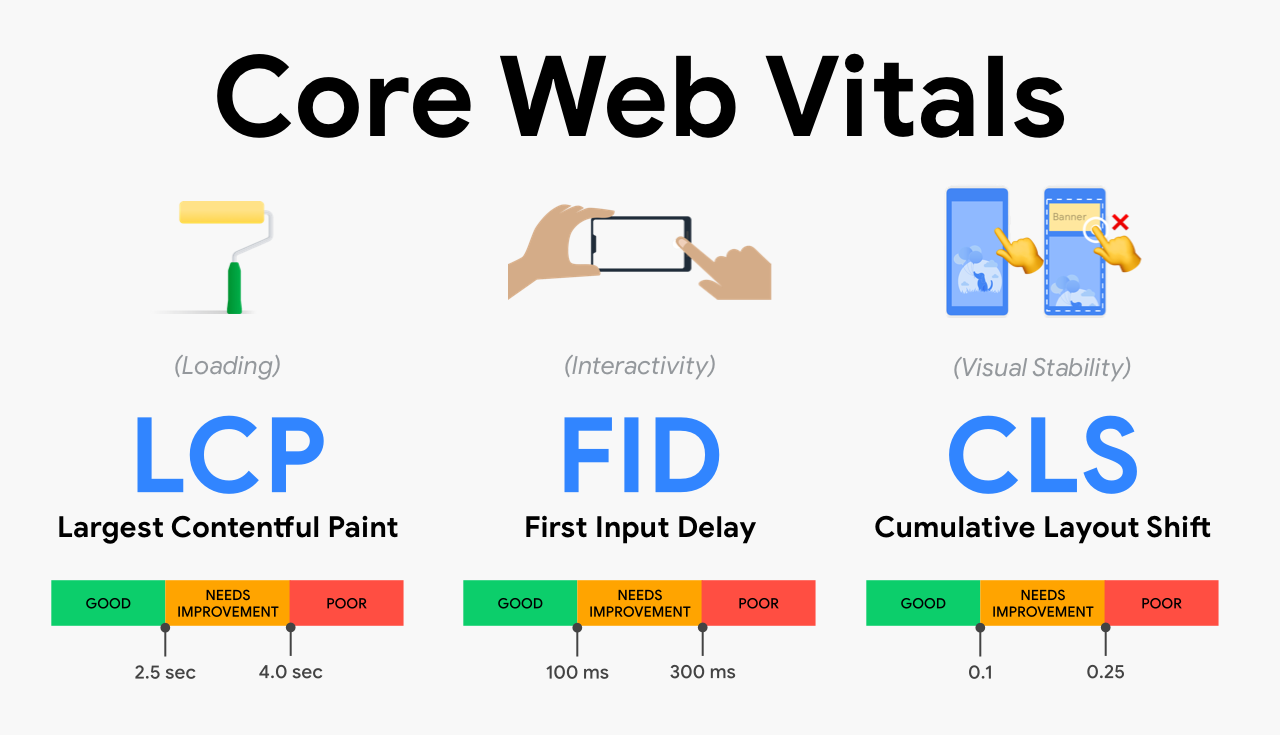
Core Web Vitals measure how a page feels to a real visitor. Google assesses them separately for mobile and desktop, using data from real Chrome users and judging the 75th percentile of visits.
| Metric | What it measures | Good | Needs improvement | Poor |
|---|---|---|---|---|
| Largest Contentful Paint (LCP) | How long the main content takes to appear | 2.5 seconds or less | 2.5 to 4 seconds | Over 4 seconds |
| Interaction to Next Paint (INP) | How quickly the page responds to taps, clicks and key presses | 200 milliseconds or less | 200 to 500 milliseconds | Over 500 milliseconds |
| Cumulative Layout Shift (CLS) | How much the layout jumps around while loading | 0.1 or less | 0.1 to 0.25 | Over 0.25 |
Interaction to Next Paint replaced First Input Delay (FID) as a Core Web Vital in March 2024, so older guides that list FID are out of date.
Do Core Web Vitals Affect SEO Rankings?
Google has said its ranking systems use page experience signals, and Core Web Vitals are part of that. In practice they work more like a tie-breaker than a trump card. A fast page with thin content will not outrank a slower page that answers the question far better. Where content quality is similar, a better experience can help, and good scores also reduce bounce, improve engagement and support conversions, which is worth having regardless of rankings.
How to Check Your Core Web Vitals
- PageSpeed Insights: shows field data from real users where available, plus lab test results and specific fixes.
- Search Console Core Web Vitals report: groups your URLs by status so you can fix problems by template instead of page by page.
- Chrome DevTools and Lighthouse: lab tools for testing changes before you deploy. They do not show what real users experience.
- Chrome UX Report and the web-vitals library: ways to collect real-user data at scale.
Field data is what Google uses, and it updates on a rolling 28-day window, so improvements take weeks to show up in reports.
How to Improve LCP
- Serve the main image or heading as early as possible and avoid lazy-loading it.
- Compress images and use modern formats such as WebP or AVIF, with correct dimensions.
- Improve server response time with better hosting, caching and a CDN.
- Remove or defer render-blocking CSS and JavaScript.
How to Improve INP
- Reduce and defer heavy JavaScript, especially third-party scripts such as chat widgets, tag managers and ad scripts.
- Break long tasks into smaller pieces so the page can respond between them.
- Avoid expensive work in click and input handlers.
- Keep the page structure simple so the browser has less to update.
How to Improve CLS
- Set width and height (or aspect ratio) on images, video and embeds.
- Reserve space for ads, banners and late-loading content.
- Load web fonts in a way that avoids layout jumps, for example with font-display and preloading.
- Do not insert new content above content the visitor is already reading.
Core Web Vitals on WordPress
Most WordPress slowdowns come from heavy themes, too many plugins, unoptimised images and weak hosting. Work through caching, image optimisation and a plugin audit first. Our guide to 15 WordPress fixes for Core Web Vitals covers each fix in order, and our article on advanced WordPress speed techniques goes deeper.
Common Core Web Vitals Mistakes
- Chasing a perfect lab score while real users still have a poor experience.
- Lazy-loading the hero image, which delays LCP.
- Stacking third-party scripts without measuring their cost.
- Testing only on a fast desktop connection instead of a mid-range phone.
- Fixing one page when the problem sits in a template used across hundreds of pages.
Where Core Web Vitals Fit in Your SEO Plan
Treat Core Web Vitals as part of technical health, alongside crawlability, indexing and structured data. Our technical SEO audit checklist shows where speed sits in the bigger picture.
If you want help diagnosing and fixing the issues, see our SEO service provider page or contact us.
Frequently Asked Questions
What are the three Core Web Vitals?
Largest Contentful Paint (LCP) for loading, Interaction to Next Paint (INP) for responsiveness and Cumulative Layout Shift (CLS) for visual stability.
Is First Input Delay still a Core Web Vital?
No. Interaction to Next Paint replaced First Input Delay as a Core Web Vital in March 2024.
What is a good Core Web Vitals score?
For the 75th percentile of visits, LCP of 2.5 seconds or less, INP of 200 milliseconds or less and CLS of 0.1 or less count as good.
Do Core Web Vitals affect SEO rankings?
Yes, as part of Google’s page experience signals, but they are one factor among many. Relevant, helpful content matters more, and good scores work best as a tie-breaker and as a way to improve user experience and conversions.
How do I check my Core Web Vitals?
Use PageSpeed Insights for a single URL and the Core Web Vitals report in Search Console for your whole site. Use Lighthouse and DevTools to test fixes in the lab.
How long do Core Web Vitals improvements take to show up?
Field data uses a rolling 28-day window, so expect several weeks before improvements appear in Search Console and PageSpeed Insights.
Schedule a call
Talk to a subject-matter expert
Web development, SEO, or digital marketing — tell us about your project and we'll get back within one business day. No obligation.
- Free scope & strategy session
- A senior specialist, not a sales rep
- Your details stay confidential